Games
You can install many more Android games from the Play store available in the Home screen/ My apps.
If you know good games on a USB stick, you can install those also.
Installed Games you can see in My Apps.
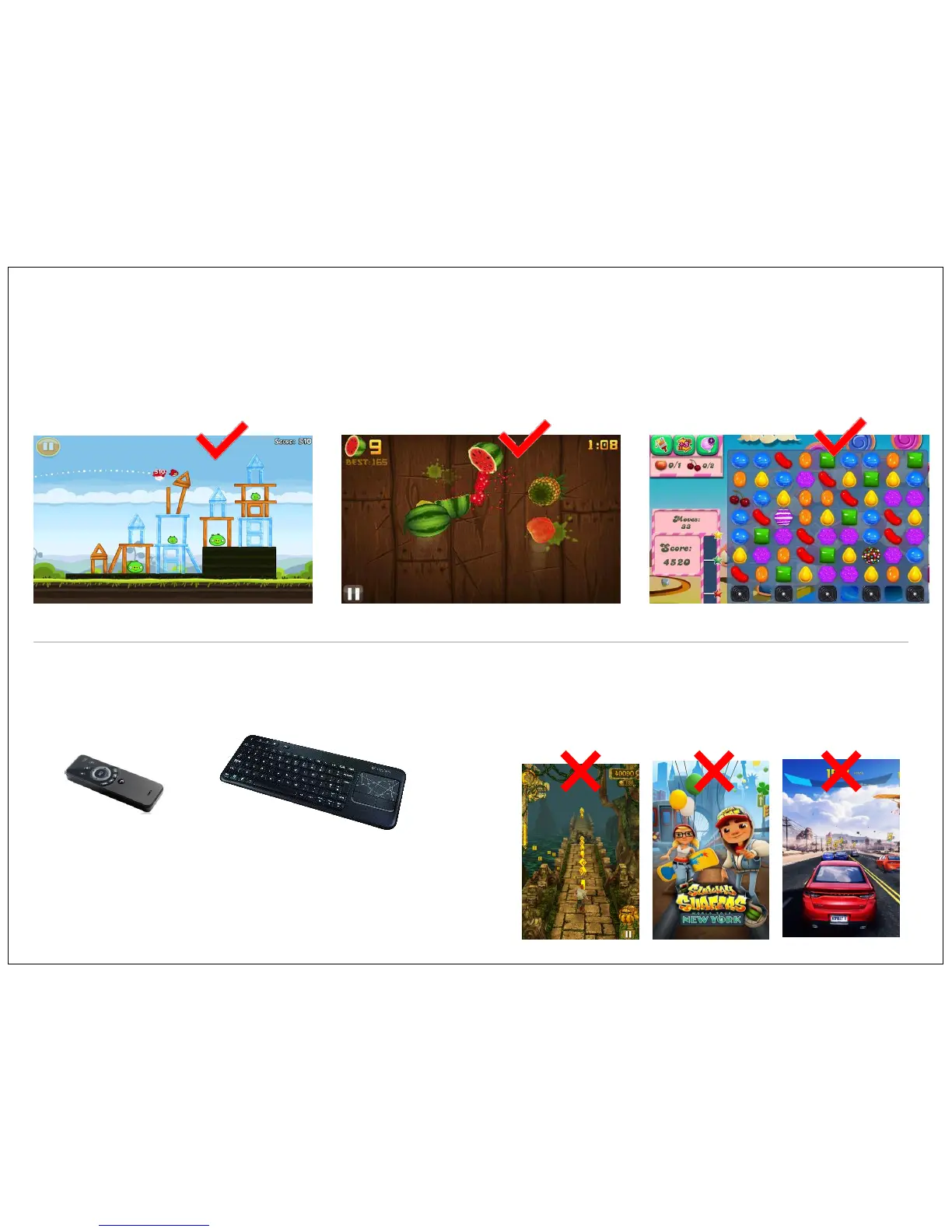
Check out some of the popular games like, Angry birds, Fruit Ninja, Candy Crush etc.
Many android games works on touch gesture technology and movement
of device Ex- Subway Surf, Temple Run, Car Racing Super Adventure
etc, those games are not compatible with this TV.
Also the Games involve Zoom-in/out function so you can see bigger
play area. This function is not supported by Vu Android TV.
Many games are design in vertical format, while playing them on Vu Android
TV it will only show 1/3 of actual screen area, and rest of the screen become
blank. Different games may work slightly differently- experiment and have fun.
Temple Run Subway Surf Asphalt 8
Motion Sensing Remote
(Air Mouse)
Wireless Keyboard with
Track Pad
Note:
To play Android games you require additional attachment of
Wireless keyboard/Mouse or Motion sensing Mouse (Air Mouse)
which RF dongle you can connect to USB port of TV. This device
customer need to buy separately. It is not included in the standard
TV accessory pack.
Angry Birds Fruit Ninja Candy Crush
17


 To Next Page