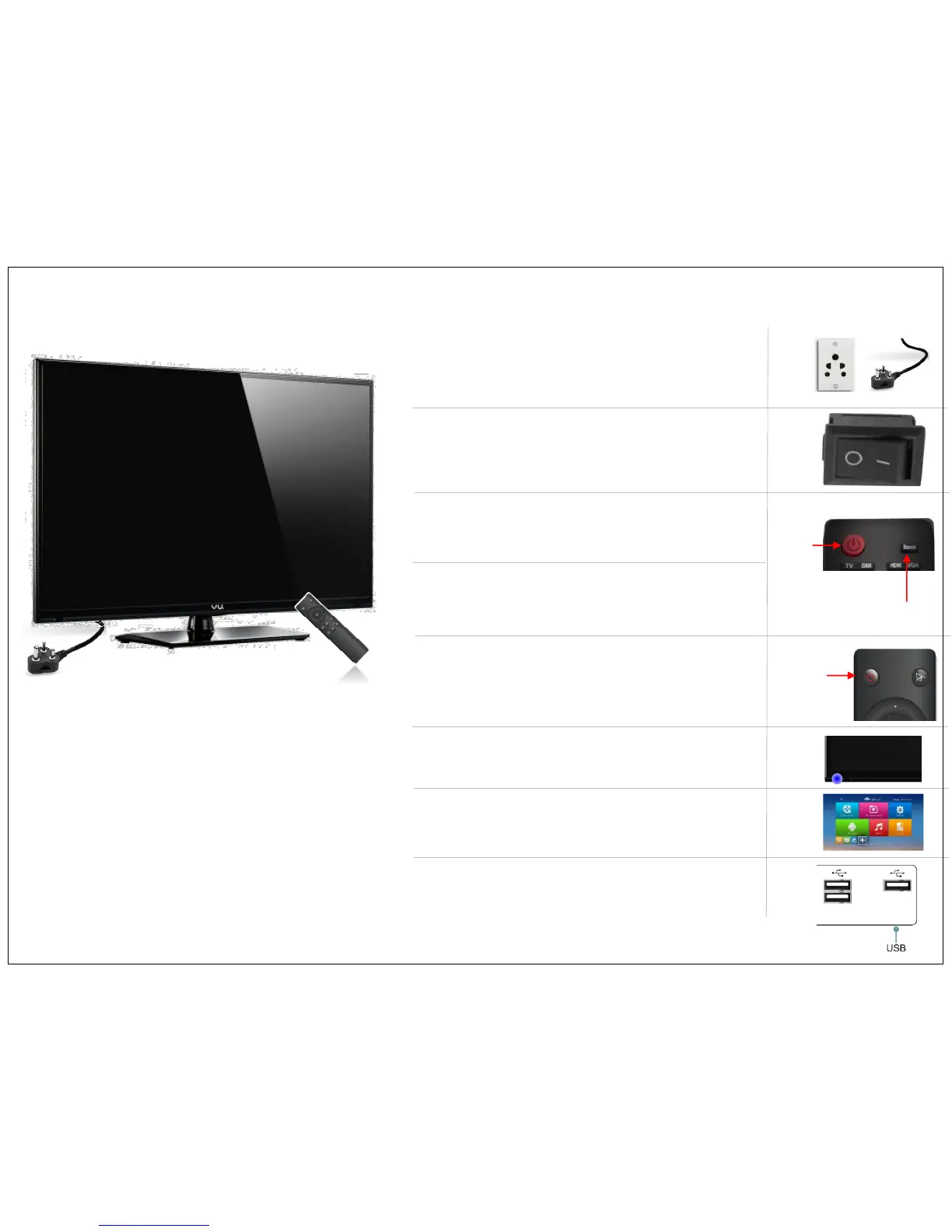
• To Turn Your TV ON connect the TV Main AC Power
Plug to Main AC Power Outlet & turn ON the Power.
• Switch ON the Main power Switch from your TV, Which
is below the TV bezel as indicated in image.
• Use TV Remote and press Power Button on it to switch
ON the TV from standby mode.
• Change the TV source to HDMI-1 mode. (By default Vu
TV start in HDMI-1 Mode)
• Turn ON built in Android using Power Button on Android
Smart Remote. When your not using Android, switch
OFF the Android using Power ON/OFF Button
• The TV will start with LED light on in TV.
• Now TV will show you the home UI of Android Kit Kat.
• If need to connect to many devices, please use USB to
connect your external PEN Drive or Portable USB Drive.
First Time Power Up
Power
On/off
Power
On/off
TV
Source
USB 1
USB 2
USB 3
7


 To Next Page