Media
Playing Video
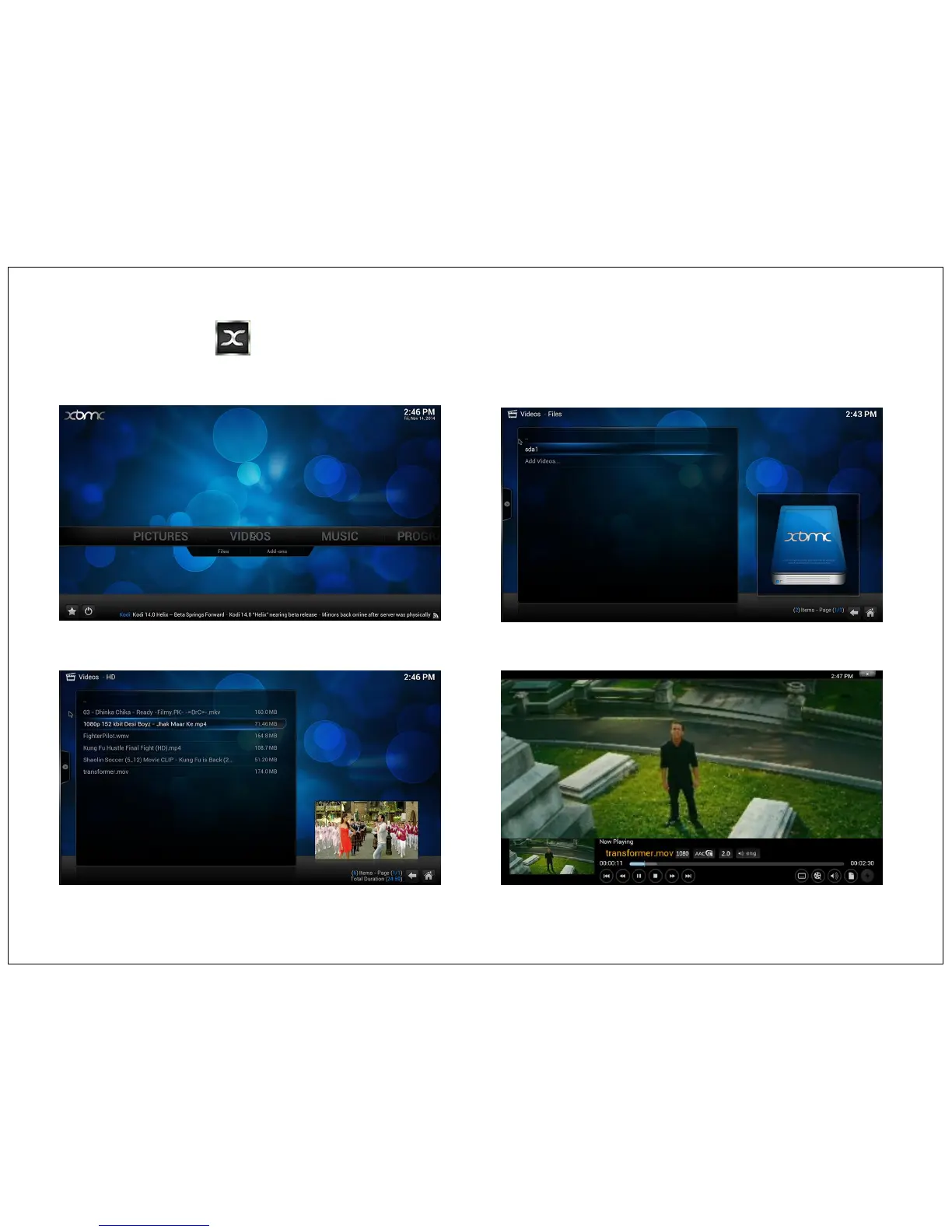
Open XBMC from Home Page > Video > Select Video folder (from inbuilt storage or from External USB) > Click on your video files. See below
images for reference.
Video are played on full screen mode, To control the video click any where on the screen, and the video control bar will become visible. You can use
remote control Volume + and – key to adjust Volume.
Video formats: Please refer page no 28 for supported video formats.
15


 To Next Page