Connecting to Internet / USB
• Check the Jack for position and type before making any connection. Loose Connection can result in image, malfunctioning of
device. Make sure all connections are tight & secure.
• Always unplug the power cord when connecting the external equipment.
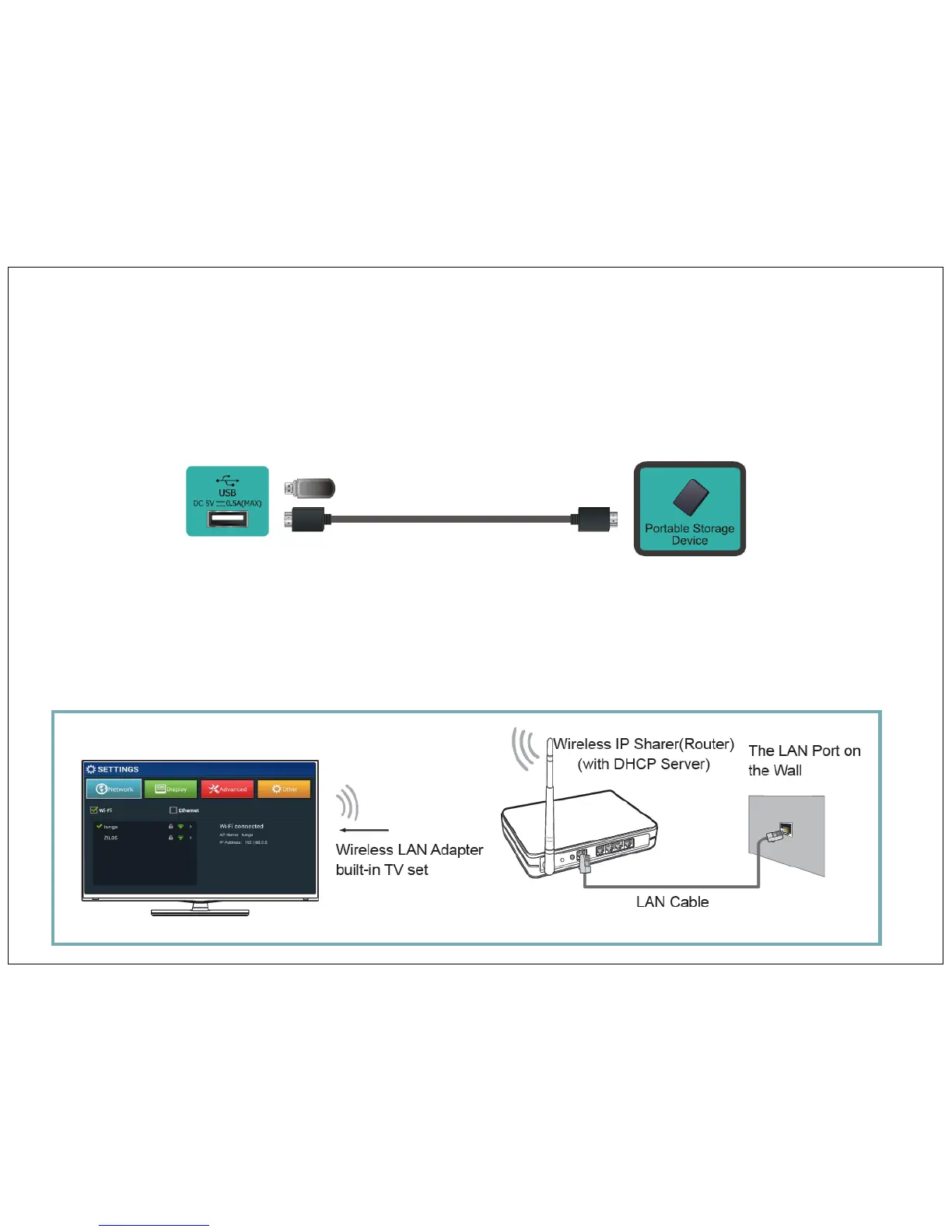
Connect Device with USB Interface
This unit has a standard USB interface and can be connected to standard USB 2.0 disks.
You can use USB connection cord or directly insert USB in to USB port at the side of the TV
Wi-Fi - Set network type to Wi-Fi (a Wireless Network).
You can select an available Wi-Fi network that was found around or set up a new Wi-Fi network.
To connect your TV to your wireless network, you need a wireless router or modem. See the illustration below.
How to do Network Setup
Go to Setting Mode on Home Screen > go to Network > Decide your network option – Wifi or Ethernet, Press click on your network option.
25


 To Next Page