Connecting to Internet
How to do Wi-fi Hotspot
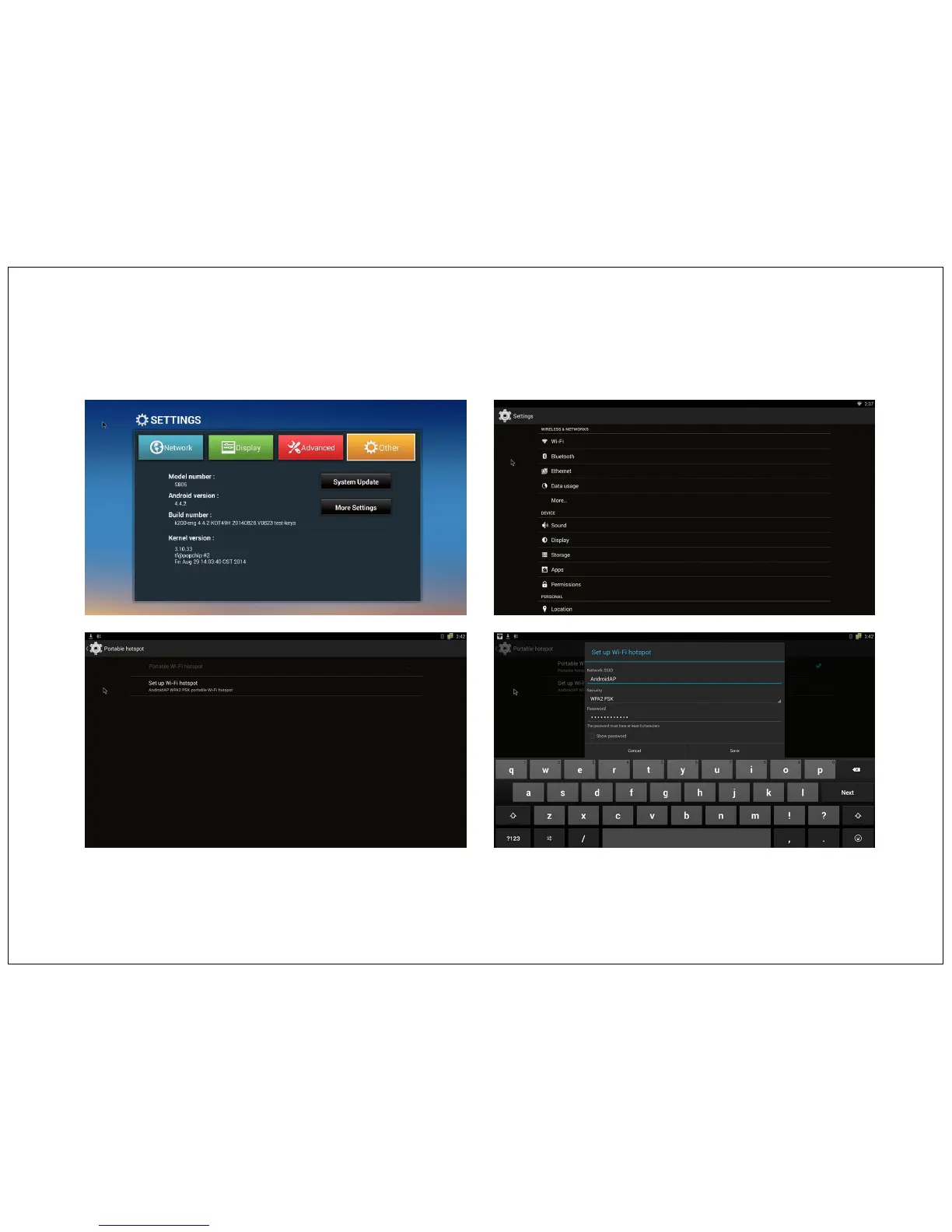
Go to Setting Mode on Home Screen > Other Option > More Setting > More > Portable Hotspot, This will show pop up dialogue box for
configuration. Now setup wifi hotspot setting like SSID, Security & password.
Please make note of that for future reference. Select a password that you can remember, or write down. You will need that password on the other
Computer to connect to this wifi hotspot network.
Save and closed the dialogue box. Now your wifi Hotspot is set. And you can use it with other laptops, tablets or mobile phones for internet
browsing.
27


 To Next Page