18 VWR MEGA STAR 3.0 / 3.0R ver b, rel 25.06.2020
Acceleration curve
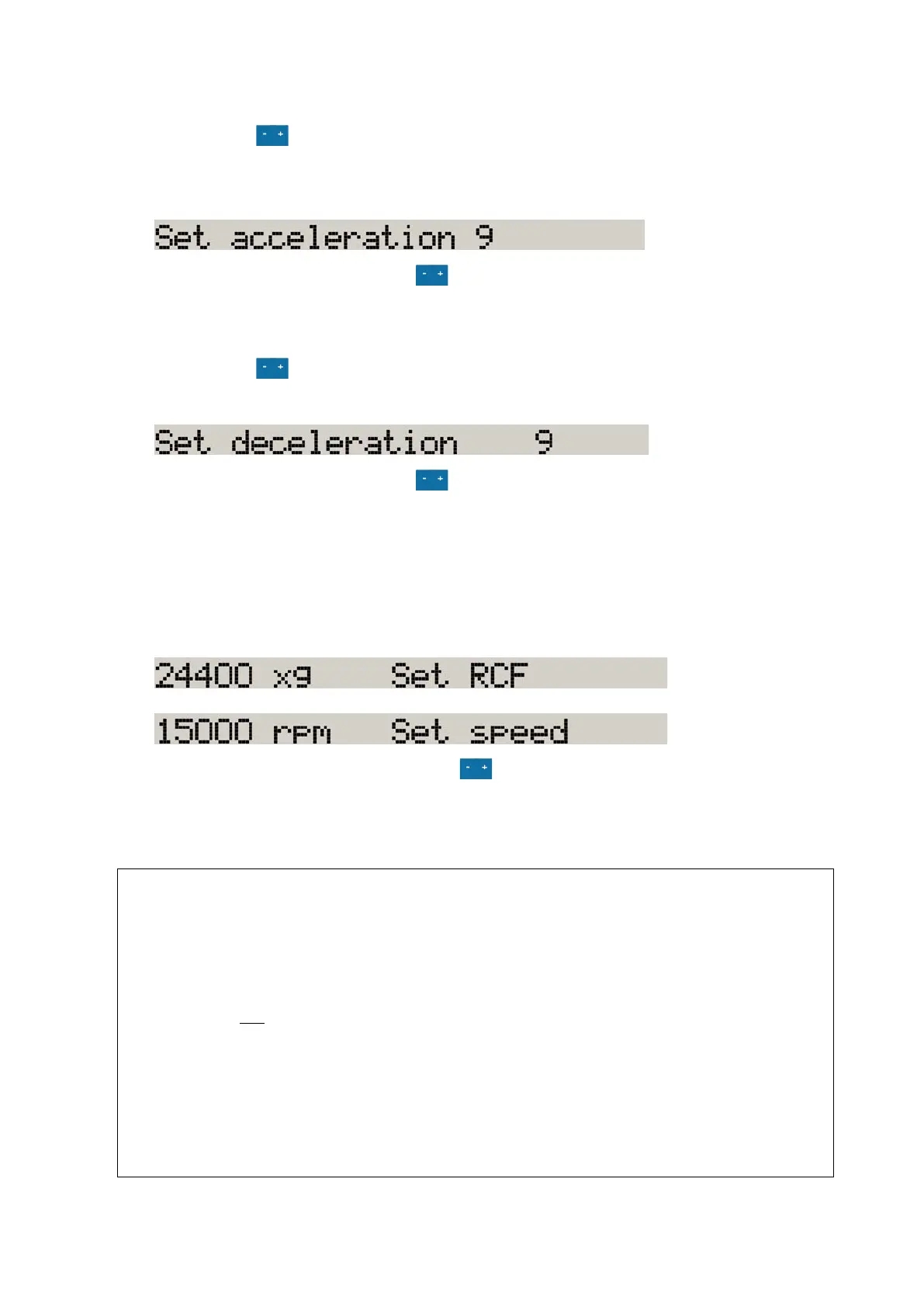
1. Press the key below the ACC display in order to open the acceleration profile selection
menu.
The display shows the message "Set acceleration".
2. Select the profile by pressing the key , until the desired acceleration curve shows.
Braking curve
1. Press the key below the DEC display in order to open the braking profile selection menu.
The display shows the message "Set deceleration".
2. Select the profile by pressing the key , until the desired braking curve shows.
Preselecting Speed / RCF
1. Press the key below the “SPEED” display in order to open the speed / RCF value menu.
The display shows the "RPM“ or the "RCF"-value depending on the display setting. Press the
CHANGE key to toggle between the two modes.
2. Enter the desired value by pressing the key repeatedly, until the desired value shows.
Note: If an extremely low RCF value has been selected, it will be corrected automatically if the resulting
speed is less than 300 rpm.
Explanation of RCF value
The relative centrifugal force (RCF) is given as a multiple of the force of gravity g. It is a unitless
numerical value which is used to compare the separation or sedimentation capacity of various
centrifuges, since it is independent of the type of device. Only the centrifuging radius and the speed
come into play in it:
RCF = 11.18 x (
1000
)
2
x r
r = centrifuging radius in cm
n = rotational speed in rpm
The maximum RCF value is related to the maximum radius of the tube opening.
Remember that this value is reduced depending on the tubes and adapters used.
This can be accounted for in the calculation above if required.









 To Next Page