On the camera management screen, check the status of channel in the camera list. If the
status of a channel is , this camera has been online. If the status of a channel is ,
this camera has been offline.
Operation Methods
Method 1: Click Refresh button, the cameras show in list, check the need, click Click
to Add, the cameras in the list will be added to the camera list.
Method 2: Select the cameras you wanted to add, and click Add; the selected cameras
will be added to the camera list.
5.1.2 Add a Camera Manually
Operation Steps
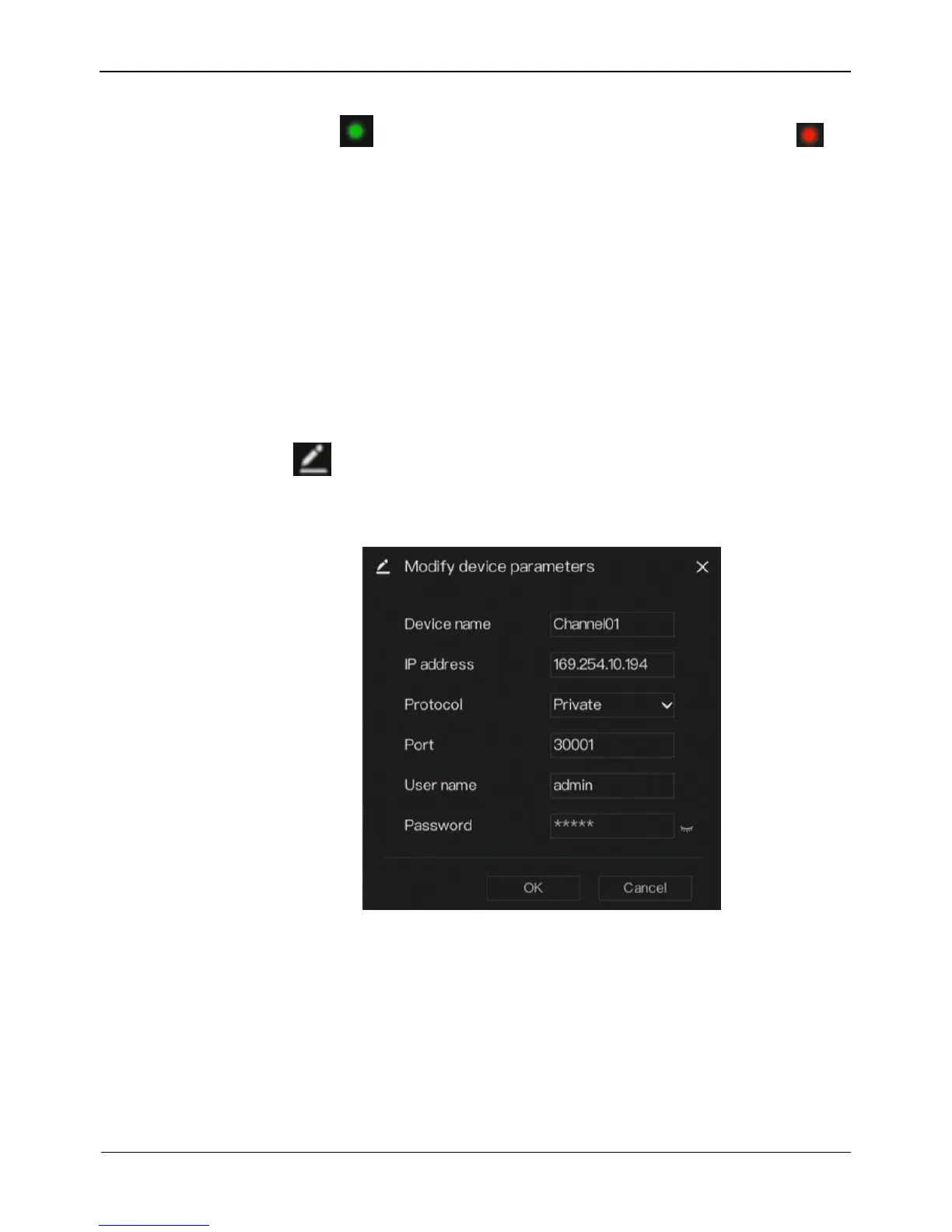
Step 1 Click , the screen to add devices manually is displayed, as shown in
Figure 5-2.
Figure 5-2 Modify device screen
Step 2 Enter the device name, IP address, port, user name and password of camera,
Step 3 Select a protocol from the drop-down list.
Step 4 Click OK, the camera is added successfully.



 To Next Page