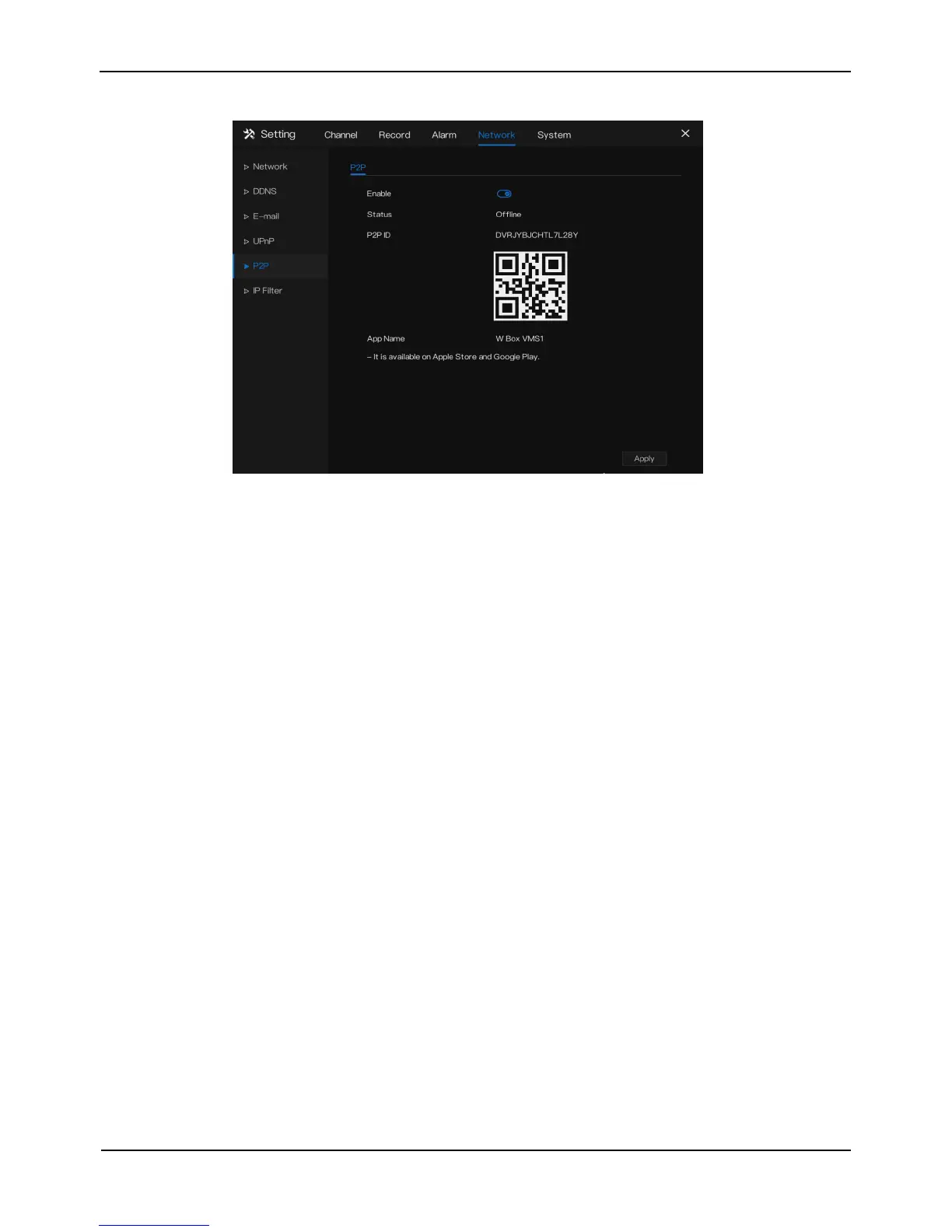
Figure 8-7 P2P screen
Step 2 Click the Enable button to enable the P2P function.
Step 3 Click Apply to save P2P network settings or click Cancel to cancel settings.
Step 4 After the Wbox VMS1 is installed in mobile phone, run the APP and scan the
UUID QR code to add and access the NVR when the device is online.
----End
8.6 IP Filter
Set the IP address in specified network segment to allow access or prohibit access.
Operation Steps
Step 1 Click IP Filter in the main menu or menu of the network management screen and
choose IP Filter to access the IP filter screen, as shown in Figure 8-8.



 To Next Page