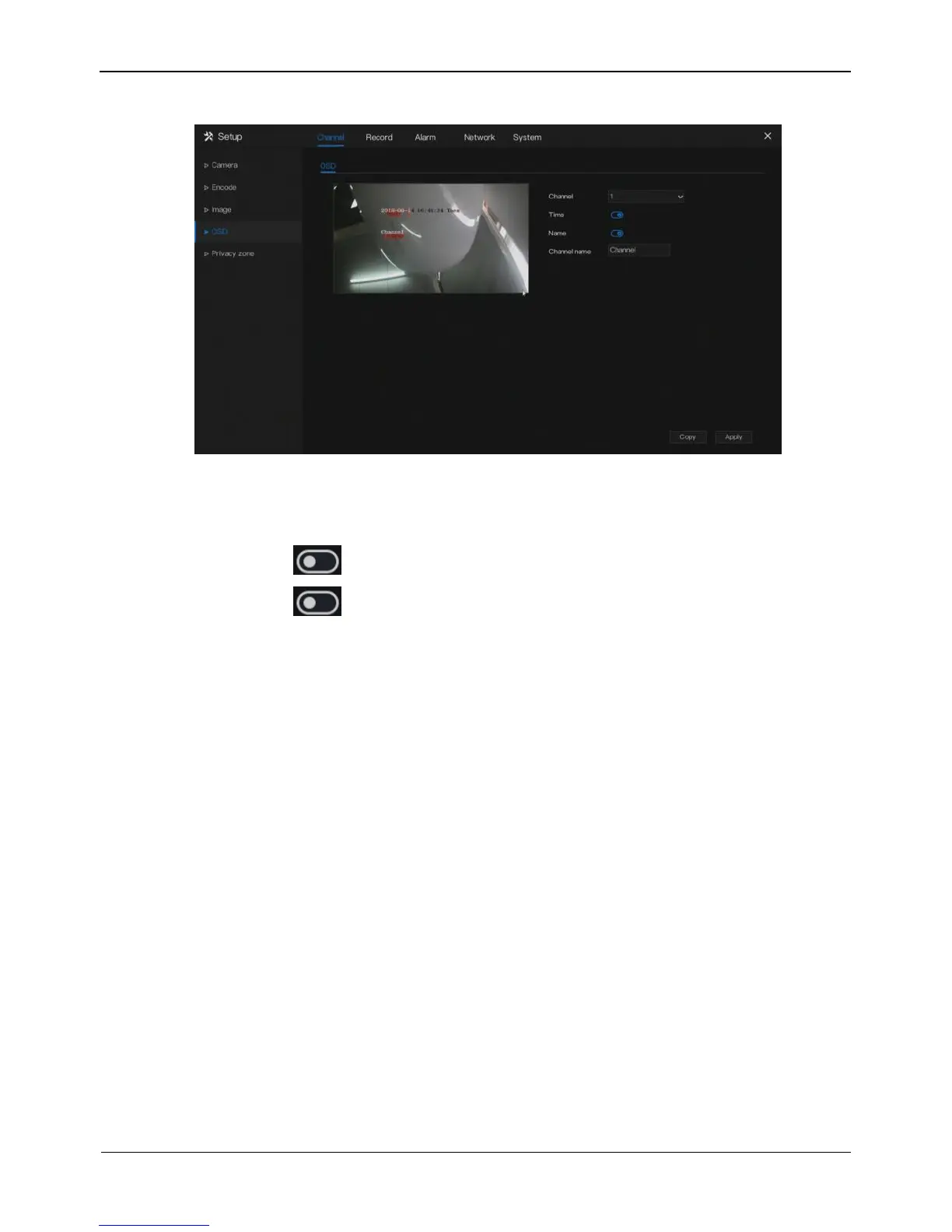
Figure 5-6 OSD setting screen
Operation Steps
Step 1 Select a channel from the drop-down list of channel.
Step 2 Click next to Time to enable or disable OSD time setting.
Step 3 Click next to Name to enable or disable OSD channel setting.
Step 4 Set the channel name.
Step 5 In the video window, click and drag time or channel to move to a location.
Step 6 Click Copy and select channels, then click OK to apply the OSD settings to
cameras in selected channels , click Apply to save OSD settings.
----End
5.5 Privacy Zone
The system allows you to mask images in a specified zone and this zone is called
privacy zone.
Operation Description
Click Privacy Zone in the main menu or menu of the channel management screen and
choose privacy zone to access the Privacy Zone screen, as shown in Figure 5-7.



 To Next Page