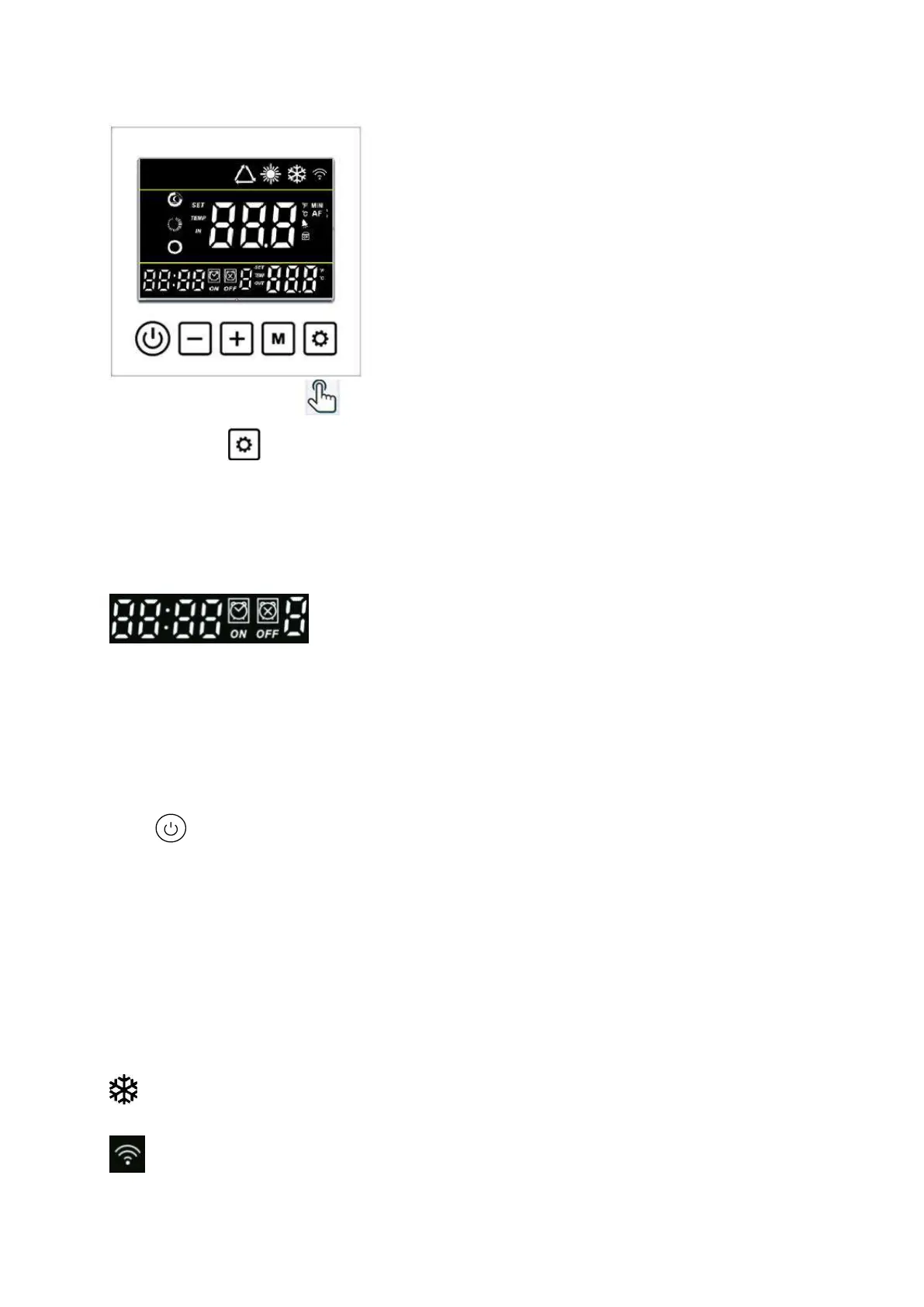
Hold the button for 3 seconds to enter the setting of Timer ON & Timer Off groups.
Then use the same method to make the setting of Hour and Minute like Clock setting.
Pay attention: There are 3 groups Timer for your every day setting.
See above photo, the icon ‘ON’ will flash when setting the Timer ON. The icon ‘OFF’ will flash when
setting the Timer OFF.
The last data is the Order No. of your current setting for Timer group. It will flash under Timer
setting.
Press to save the Timer setting and back to the main interface, it will show Numbers of Timer
groups you have set on the main interface.
Cancellation of Timer: When the Timer On is same to Timer Off, the current Timer group has been
canceled.
6.7 Definition of other icons
: Defrosting when it flashes
: WiFi connected. It will flash under WiFi connecting.



 To Next Page