28
Installation
2S/2M installations use C and D locations.
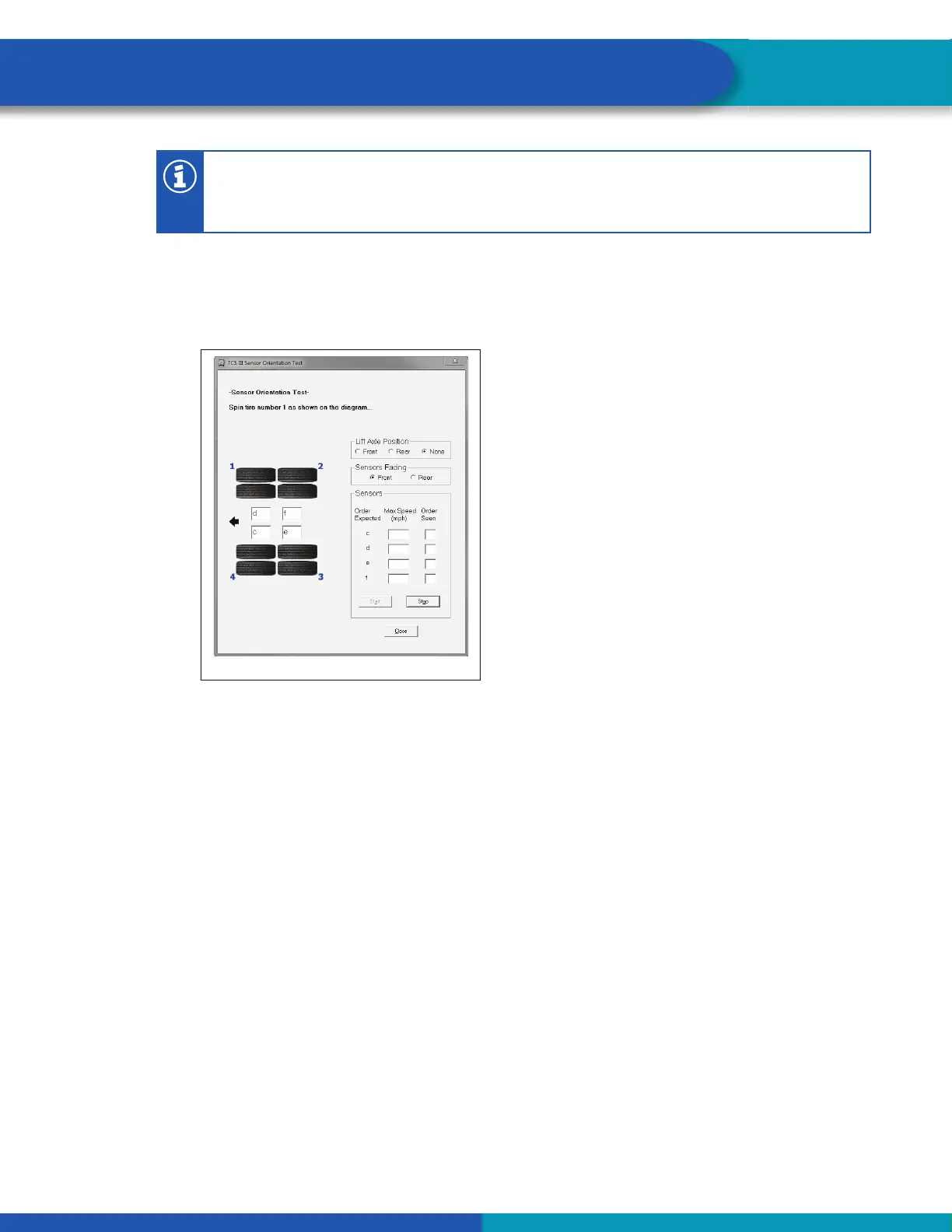
6. Click on Front, Rear or None in the Lift Axle Position fi eld to note if a lift axle is installed on an ABS
sensed axle. NOTE: Sensors E and F should always be installed on the lift axle to prevent unwanted
sensor faults.
7. Click on Start to begin the test. Figure 26.
Fig. 26
4014086a
8. Follow the screen prompts, starting with 1, to rotate each sensed wheel end at a rate of 1/2 revolution
per second. This rate equals a wheel speed of approximately 4 mph (7 kph). As each sensed
wheel is rotated, check the color of the sensor identifi cation block on the screen for results. Sensor
identifi cation boxes are located in the bottom left portion of the Sensor Orientation Test screen.
Figure 24.
Green background: Correct sensor location. Spin the next sensed wheel as indicated by the
screen prompt.
Red background: Incorrect sensor location. If you get a red background, you must stop the test
(click on stop), make the necessary corrections and repeat Steps 3 through 6.
9. To fi nish the Sensor Orientation Test, click on Stop, then on Close.
10. Verify there is sensor output. If there is no sensor output, verify that a tone ring has been installed and
that the sensor is pushed all the way in against the tone ring. Perform the necessary repairs
and repeat the test. If the problem persists, contact WABCO North America Customer Care at
855-228-3203. Sensor output appears in the Sensors fi eld located in the bottom right portion of the
Sensor Orientation Test screen. Figure 25.



 To Next Page