10 Appendix III
107
WABCO Maintenance Manual MM-0112 (Revised 07-18)
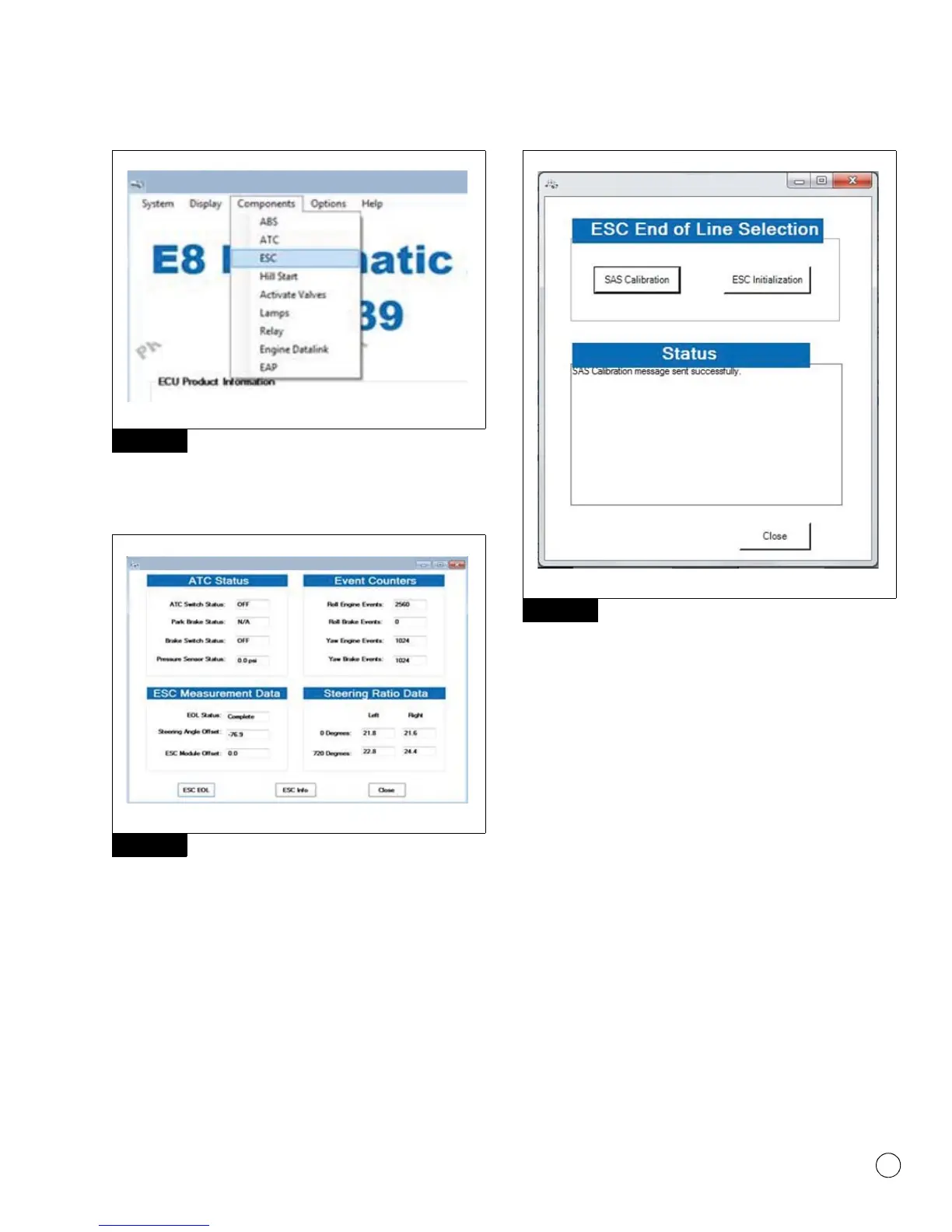
Figure 10.3
On the screen that appears, click the “ESC EOL” button.
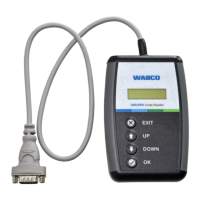
Figure 10.4.
Figure 10.4
NOTE: If SAS has NOT been replaced but vehicle has had an
alignment performed or other steering components have been
replaced, it is necessary to recalibrate SAS regardless of current
calibration.
NOTE: The vehicle needs to be sitting still during SAS calibration.
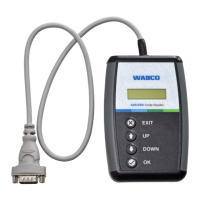
To complete the SAS Calibration, position the steer axle tires straight
ahead and click “SAS Calibration”. Upon successful calibration, the
status box will display “SAS Calibration message sent successfully”.
Figure 10.5.
Figure 10.5
The SAS calibration is now completed. Click the “Close” button to
close the screen.
If SAS calibration fails, recheck the SAS connection and verify SAS
mounting. Cycle the ignition and retry SAS calibration again.
ESC Initialization
Access the ESC EOL menu as in SAS calibration, but instead in the
message box that appears, click the “ESC Initialization” button.
Check the message box that appears. The ATC lamp will start
blinking to inform driver ECU is in learning mode. Figure 10.6.
Figure 10.3
Figure 10.4
4012624a
WABCO E8 PABS – Beta
4012625a
WABCO TOOLBOX - ESC
Figure 10.5
4012626a
WABCO TOOLBOX - ESC Menu


 To Next Page