16
16
Index
Contents
Index
Contents
EYE-HAND COORDINATION EXERCISE
If you use a mouse, you may remember how long it took to get used to positioning the screen cursor.
Your Bamboo pen, likewise, will take a bit of practice to master the technique of positioning the screen
cursor in P
EN MODE. This may seem difficult at first, but it is more natural and faster than in MOUSE MODE.
This exercise is designed to retrain your eye-hand coordination for using the pen:
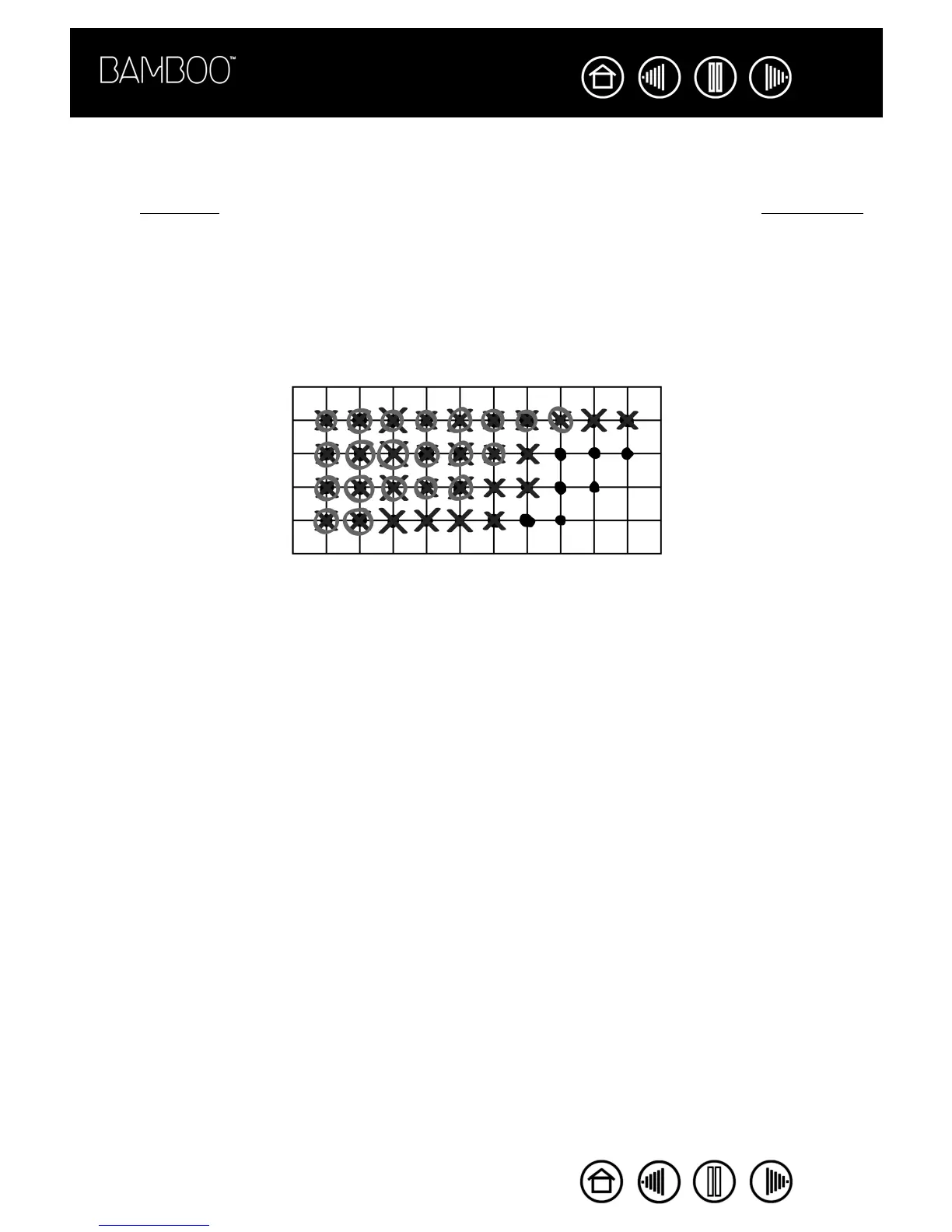
1. Open any graphics application. Use the line tool to sketch a rectangular grid with line spacings of about
20-25 mm (3/4 to 1 inch). You can use your traditional mouse to do this.
2. Choose a free-hand tool in your application and use the pen to add a dot at each grid intersection.
3. Place an X at each grid intersection.
4. Now sketch a circle around each intersection. Your screen should look like this:
5. Clear your screen and make a simple illustration of your own. The more you use your pen, the easier
writing, inking, and navigation will become.










 To Next Page