18
18
Index
Contents
Index
Contents
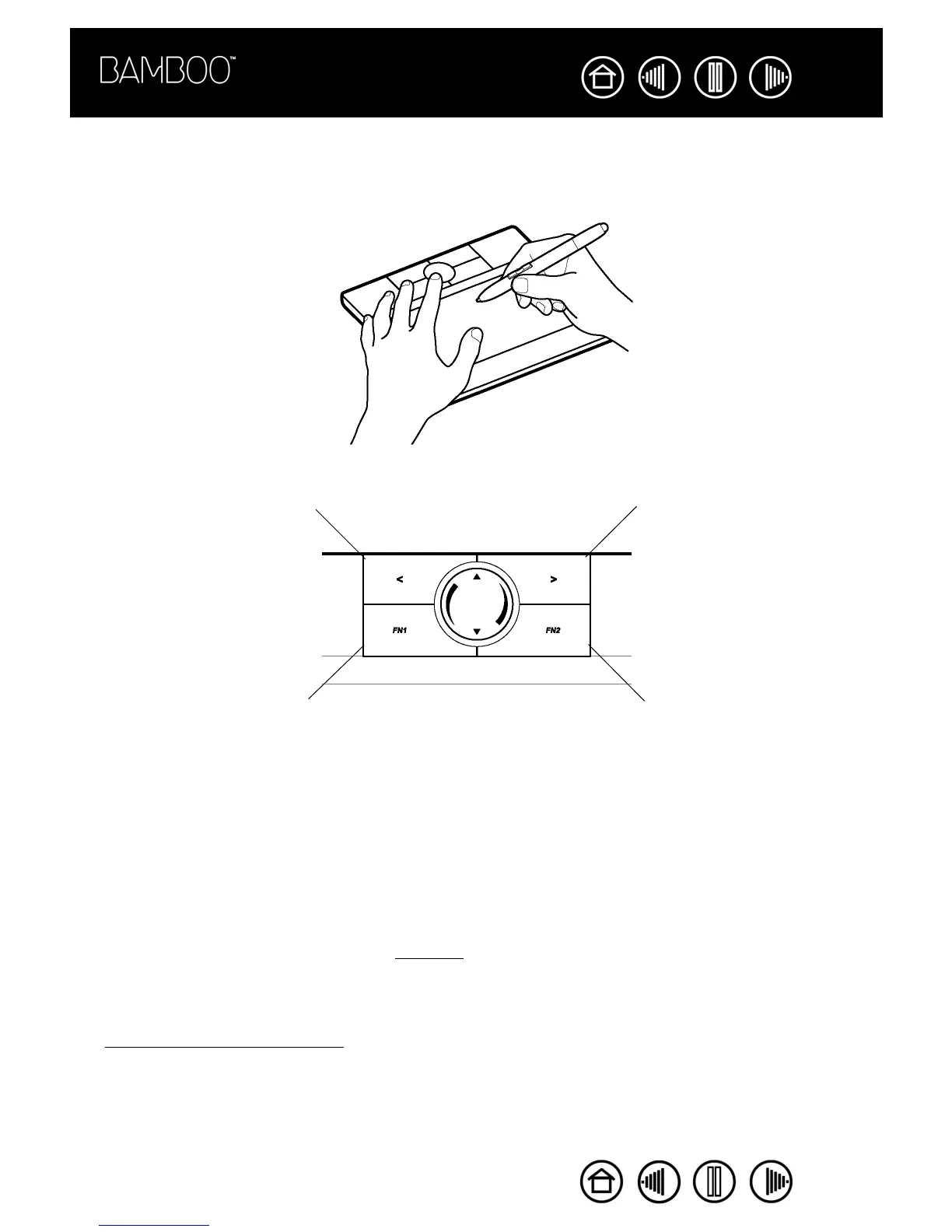
USING THE EXPRESSKEYS
Press the ExpressKeys to perform frequently used functions. The ExpressKey default settings will vary
depending on which operating system you are using.
The ExpressKeys are fully customizable, enabling you to make the best possible use of them. You may want
to consider some of these alternate ways of using the ExpressKeys:
• Set a key to a commonly used keyboard shortcut.
• Set a key to launch a commonly used file or application, such as your email program.
• Choose from any of the other available functions
.
Note also that the tablet ExpressKeys are chordable, which means you can operate them simultaneously.
For example, if you program one key to simulate the C
TRL key and another to simulate an ALT keystroke,
when you press both keys a C
TRL+ALT is simulated.
See customizing the tablet functions for more details on the available settings.
BACK
• Windows Vista (Aero): RUN
MICROSOFT JOURNAL
• All others: SHOW DESKTOP
FORWARD
• Windows Vista (Aero):
APPLICATION SWITCH (FLIP 3D)
• Windows Vista, XP, or 2000:
APPLICATION SWITCH
• Macintosh: EXPOSÉ











 To Next Page