you use on the tablet.
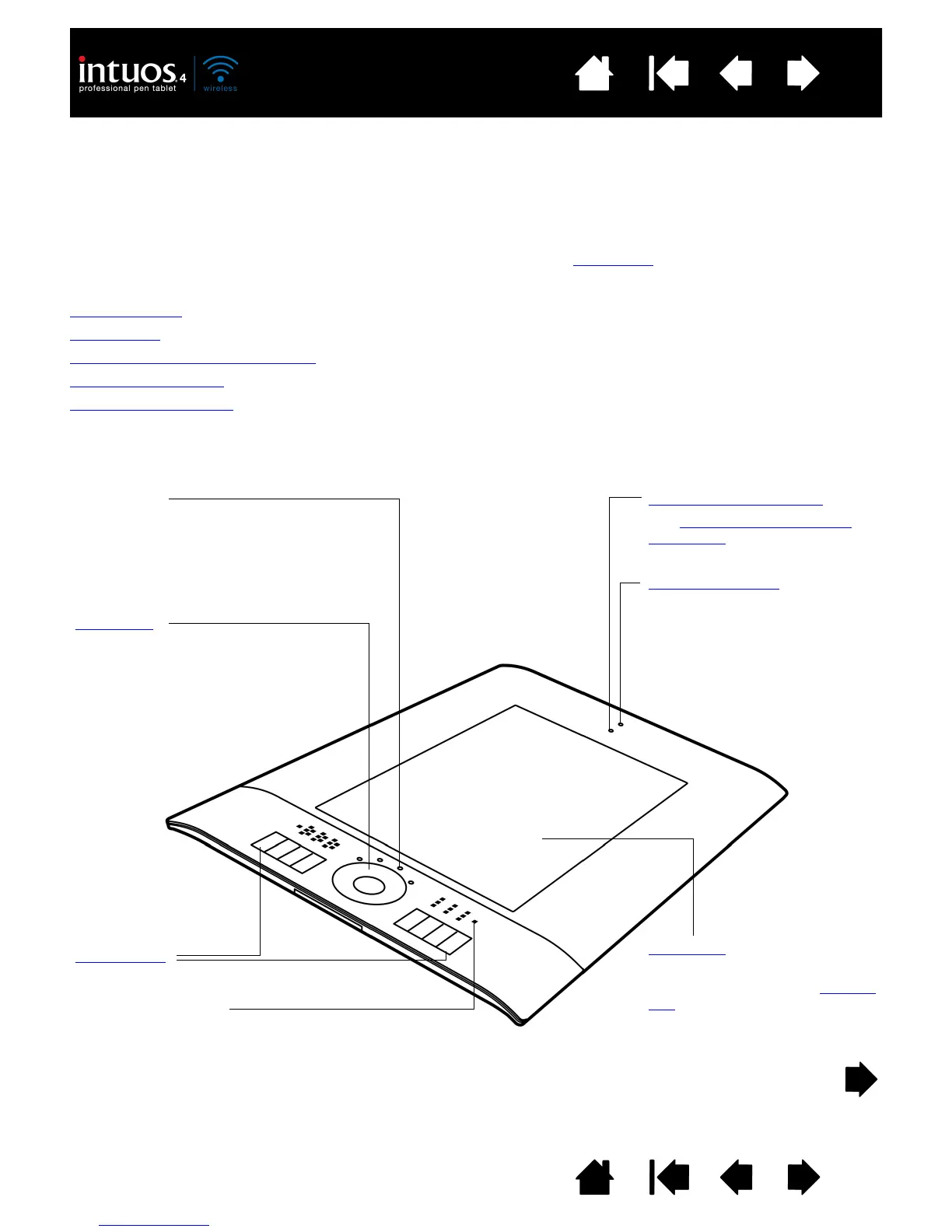
Status LEDs
• An LED will glow dimly when the tablet
is on, and brighten when a tool button
is pressed.
• LEDs also indicate which of the four
Touch Ring functions are active.
Touch Ring
Includes toggle button at center
of ring. Press to:
• Toggle between Touch Ring
functions.
• Wake tablet from auto sleep
mode.
ExpressKeys
ExpressKeys display
Shows the current ExpressKey settings.
Active area
This is the active area for pen
input. Learn about your Intuos4
pen.
Wireless connection light
See establishing a Bluetooth
connection.
Battery status light












 To Next Page