WAGO-I/O-SYSTEM 750 Table of Contents 3
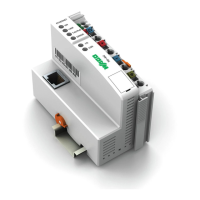
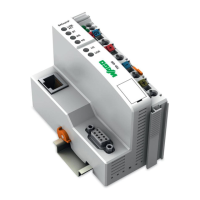
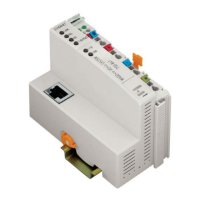
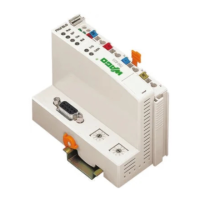
750-880, -881, -882 ETHERNET Programmable Fieldbus
Quickstart Reference
Version 1.0.0
Pos: 5 /D ok ument ati on al lg em ein/V erz eic hni sse /Inh alts ver zei chni s - o hne Gli eder ung - und Ver zeic hni s @ 3\mod_1219151230875_21.doc @ 21063 @ @ 1
Table of Contents
1 Notes about this Documentation ................................................................. 5
1.1 Validity of this Documentation ................................................................. 5
1.2 Copyright ................................................................................................... 5
1.3 Symbols ..................................................................................................... 6
1.4 Number Notation ....................................................................................... 8
1.5 Font Conventions ...................................................................................... 8
2 Important Notes ........................................................................................... 9
2.1 Legal Bases ............................................................................................... 9
2.1.1 Subject to Changes ............................................................................... 9
2.1.2 Personnel Qualifications ....................................................................... 9
2.1.3 Use of the 750 Series in Compliance with Underlying Provisions ...... 9
2.1.4 Technical Condition of Specified Devices ......................................... 10
2.2 Safety Advice (Precautions) .................................................................... 11
3 Quickstart Description .............................................................................. 13
3.1 Hardware Design ..................................................................................... 13
3.1.1 Electric Connection ............................................................................ 13
3.1.2 View PLC ETHERNET 750-880 and its Connection ........................ 14
3.1.3 View PLC ETHERNET 750-881 and its Connection ........................ 16
3.1.4 View PLC ETHERNET 750-882 and its Connection ........................ 18
3.1.5 Operating Mode Switch ...................................................................... 20
3.2 Preparatory Measures .............................................................................. 21
3.2.1 Installing WAGO-I/O-PRO ................................................................ 21
3.2.2 Starting Up the Ehernet Network ....................................................... 26
3.2.2.1 Determining the IP address of your PC and changing it if required27
3.2.2.2 Assigning an IP address to the SPS ............................................... 28
3.2.2.3 Testing the ETHERNET Link ....................................................... 31
3.2.3 Installing the USB Driver ................................................................... 32
3.3 The First Program ................................................................................... 34
3.3.1 Create New Project ............................................................................. 34
3.3.2 Select Target System .......................................................................... 34
3.3.3 Create PLC_PRG Module .................................................................. 36
3.3.4 Configure Hardware ........................................................................... 36
3.3.5 Write Application ............................................................................... 41
3.3.6 Commissioning ................................................................................... 47
3.3.6.1 Configuring a Communication Driver for an ETHERNET Link .. 47
3.3.6.2 Configuring a Communication Driver for a USB Link ................. 49
3.3.7 Loading and Starting the Program ...................................................... 52
3.3.8 Visualization ....................................................................................... 52
3.3.8.1 Create Visualization ....................................................................... 53
3.3.8.2 Web Visualization ......................................................................... 62
3.4 Memory Card (750-880) for Memory Expansion ................................... 64
3.4.1 Memory Card Slot .............................................................................. 65
3.4.1.1 Inserting a Memory Card ............................................................... 66
3.4.1.2 Removing the Memory Card ......................................................... 66
3.4.2 Access to the SD Card via FTP Client ............................................... 67



 To Next Page
 Loading...