66
Maintenance Instructions ADJUSTMENTS
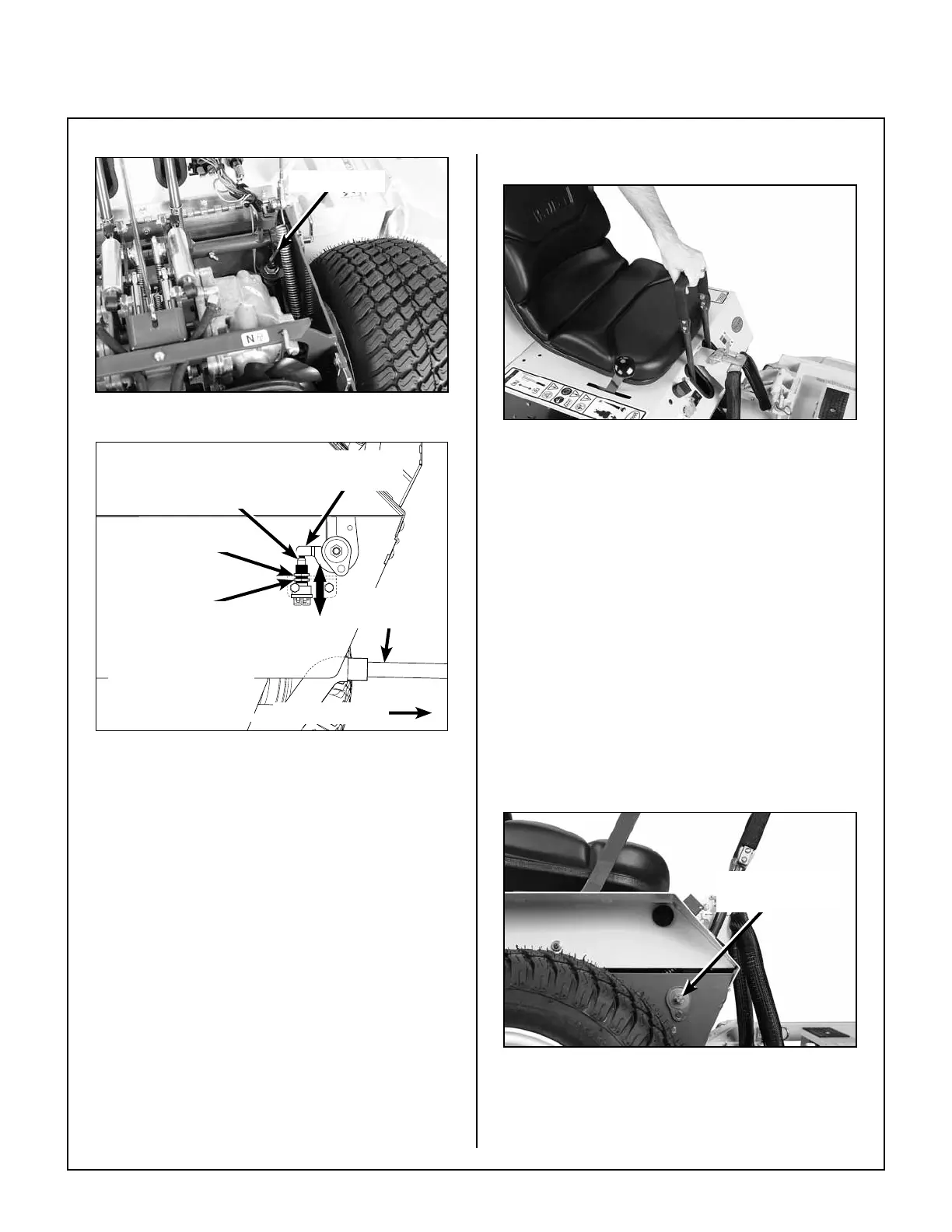
FSC Switch
FSC Neutral Switch Location
Deck Support
Arm (Ref)
Top Locknut
Bottom Locknut
Front of Mower
Switch Closed
in Neutral
FSC Switch
Actuator Arm
NOTE: Adjust the
switch downward for
quicker activation.
FSC Neutral Switch Adjustment
(Side View Through Chassis)
IMPORTANT: Disconnect spark plug wires to
prevent the engine from starting when testing
operation of the FSC Neutral Switch.
2. Check operation of the FSC Neutral Switch by
placing the FSC lever fully forward, then holding
the ignition switch in the START position. Slow-
ly move the FSC lever back towards the NEU-
TRAL-PARK position until the starter motor
engages and note the position of the of the FSC
lever. The FSC lever should be within 1/8 in. of
the NEUTRAL-PARK position. If this distance
is greater than 1/8 in. the FSC Neutral Switch
needs to be adjusted downward for quicker ac-
tivation.
Step 7 - Forward Speed Control Friction Adjustment
FSC Position With Levers
1. Place the FSC in the full FORWARD position
and pull both steering levers back; the FSC lever
should not move. If the FSC lever moves back
the friction needs to be increased.
2. With the steering levers held back, move the
FSC lever back from the FORWARD position.
With a proper amount of friction adjusted, the
FSC le ver should move back with a slight
amount of re sistance (friction). If the FSC lever
movement is “stiff”, the friction needs to be
decreased.
3. The FSC friction is increased or decreased by
tightening or loosening the friction adjust-
ment nut. Loosen or tighten the nut and check
the control function until the conditions of both
steps 1 and 2 (above) are met.
FSC Friction
Adjustment Nut
FSC Adjustment Friction Nut


 To Next Page