Page 80
CONNECT FLUE THERMOSTAT – NON COMBINATION BOILER MODELS
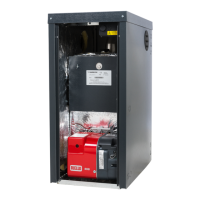
2. Remove the red burner cover. Isolate the electrical supply then open the
burner control box cover. Disconnect the live (brown) wire of the burner power
cable and connect it to the Faston link terminal of the flue thermostat cable.
3. Connect the other connector of the flue thermostat cable to the live terminal of
the control box. Close and secure the cover, ensuring no cables are trapped and
route the cable through an unused location.
CONNECT THERMOSTAT – COMBINATION BOILER MODELS
2. Isolate the electrical supply then remove the control panel installer cover.
Disconnect the Faston link terminals for the flue thermostat, then connect them to
the Faston terminals of the flue thermostat cable.
3. Secure the cable using the supplied cable clamp. Refit and secure the control
panel installer cover, ensuring no cables are trapped and route the cable through
an unused location.



 To Next Page