39
6204
10
6204
11
6204
12
6204
13
6204
14
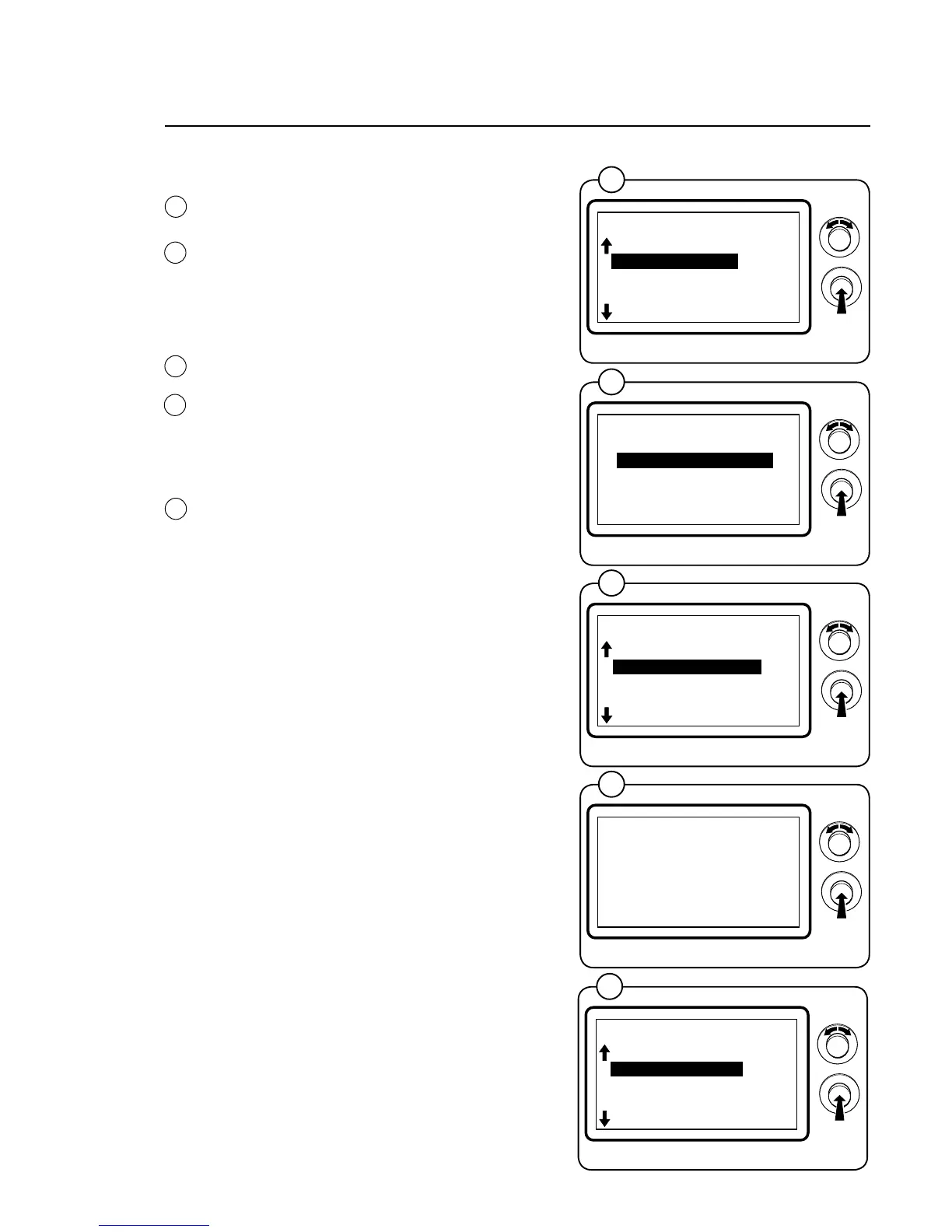
ARTICLENUMBER
SelecttheARTICLENUMBERrowandpress
theknob.Youcannowchooseonthedisplayto
show the article numbers for the program units,
I/Oboards,motorcontrolorDLCUttedinthe
machine. Select the unit for which to show the
article number.
SHOWDLCUCOM.
SelecttheSHOWDLCUCOM.rowandpress
the knob. The display shows the status of the
communicationtoandfromtheDLCUboard.
For detailed information, see next page.
RESETDLCU
ResetDLCUfromtheerrorcodebyselectingthe
RESETDLCUrowandpressingtheknob.The
reset will take a few seconds.
The square which lights up to the right of the
menu bar indicates that there is a error code in
theDLCU.
10
11
*SERVICE*
01.03.00.00
SHOW INPUTS
ARTICLE NUMBER
SHOW DLCU COM.
RESET DLCU
SHOW MCU COM.
RESET MCU
SHOW PART NUMBER
01.03.01.00
PROGRAM UNIT
I/O
MCU
DOOR CONTROL UNIT
EXIT
*SERVICE*
01.04.00.00
ARTICLE NUMBER
SHOW DLCU COM.
RESET DLCU
SHOW MCU KOM.
RESET MCU
SHOW SINGLE
DLCU STATUS
FROM DLCU 10000100
FROM DLCU 000000CD
TO DLCU 10110000
TO DLCU 00000000
BACK=PRESS KNOB
*SERVICE*
01.05.00.00
SHOW DLCU COM.
RESET DLCU
SHOW MCU COM.
RESET MCU
SHOW SINGLE
SHOW COM.PORTS
12
13
14
Program unit







 To Next Page