63
I/O modules
6639
6
6640
5
MACHINE PROGRAM PART NO REVISION TYPE HEATING WATER
W455H 3A02 432660002 3.858 SE. A,f EL/DS CH
W455H 3M14 432660003 3.859 SE. C,E EL/DS C
W455H 3H12 432660004 3.858 SE. D,e EL/DS C
7
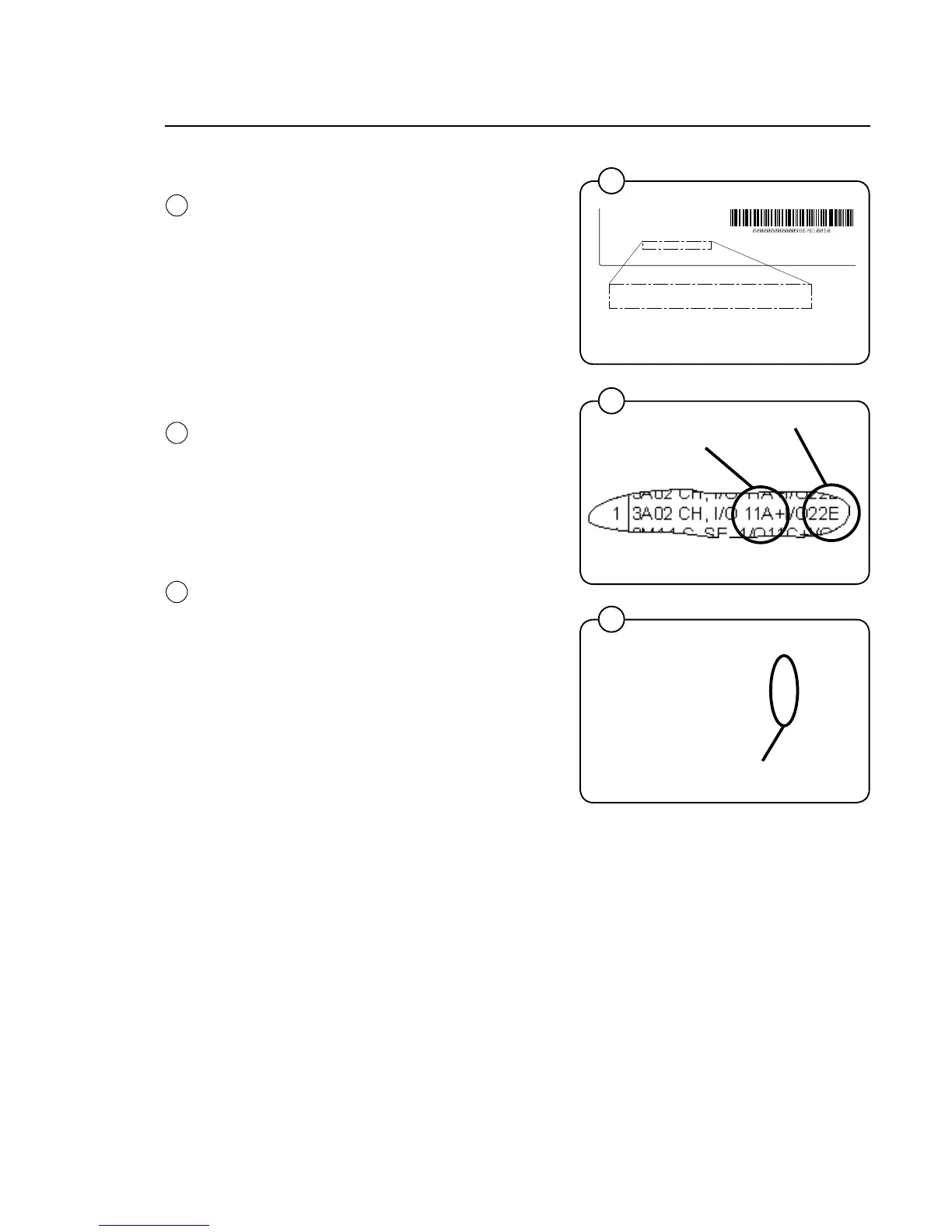
Function options via program designation
Theparametersoftwareinstalledinamachine’s
program device on delivery is specified on 2
plates, one located on the inside of the door and
one by the machine's electrical connection.
Using this article number, you can find the pro-
gram designation and thereby identify I/O modu-
le function options in one of the following ways:
Option 1.
Access the spare parts list under "Program De-
vice".
The program designation and the I/O module
function options are specified in the remarks co-
lumn for the relevant parameter software article
number.
Option 2.
Open the "Compass Control Loader – Existing
software" CD and select the relevant machine.
The program designation and the I/O module
function options are specified for the relevant
parameter software article number.
Function options I/O-1
Function options I/O-2
5
Function options I/O-1 and I/O-2
6
7







 To Next Page