44
6204
22
23
6204
25
6204
6204
24
MEASUREUNBALANCE
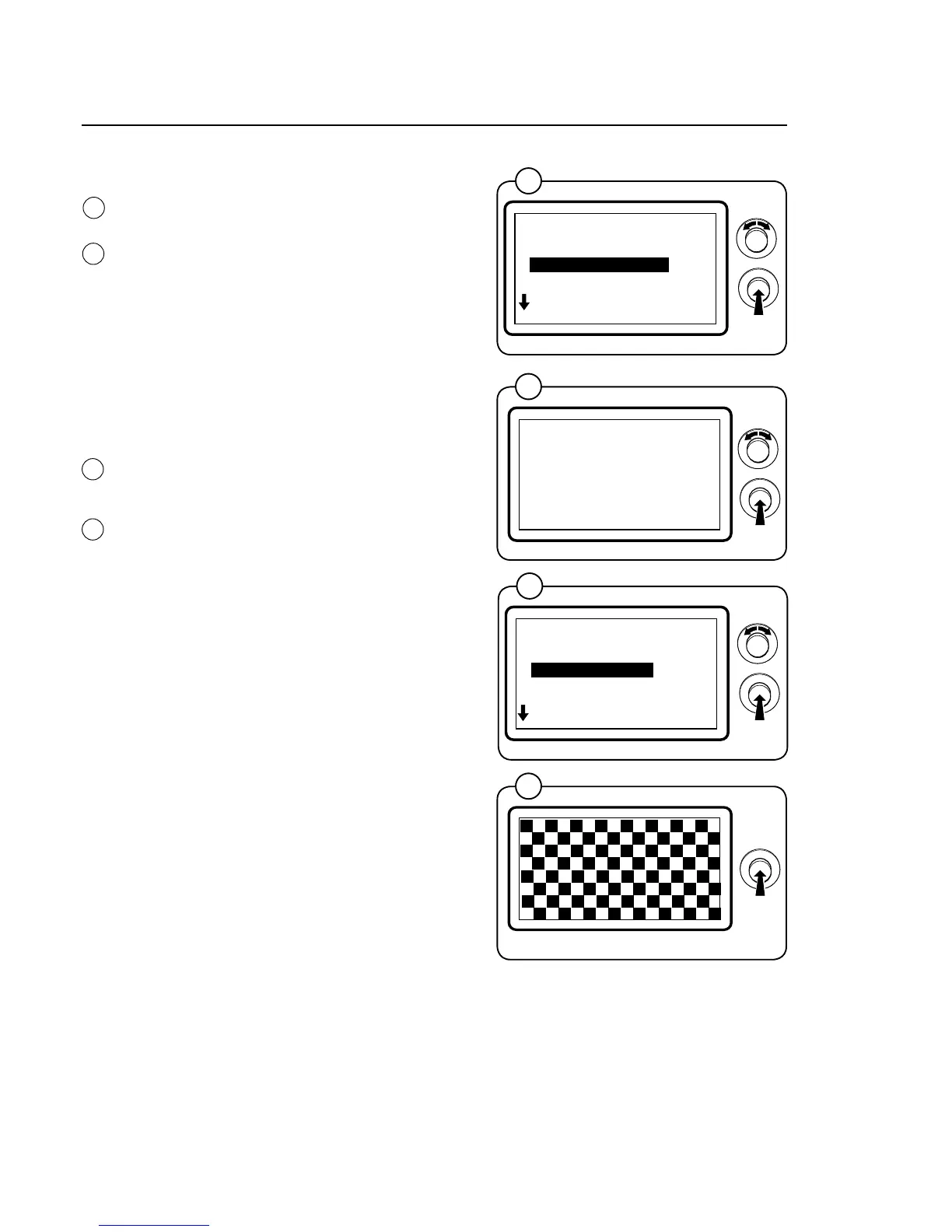
SelecttheMEASUREUNBALANCErowand
press the knob.
Put in a known unbalance weight. A correspon-
ding weight must be shown in the display once
imbalance measurement has taken place.
Confirm that measurement is to be performed
withYESorreturntothepreviousmenuwith
NO.
This function is used to check that the machine
is measuring unbalance correctly.
DISPLAYTEST
SelecttheDISPLAYTESTrowandpressthe
knob.
The display shows a grid for checking that all the
segments in the display are intact. By turning the
control knob, two different grids and a complete-
ly black and a completely blank page are shown.
Press the knob to return to the previous menu.
*SERVICE*
01.12.00.00
MEASURE WEIGHT
MEASURE UNBALANCE
DISPLAY TEST
EXIT
*START UNBALANCE*
YES
22
23
24
*SERVICE*
01.13.00.00
MEASURE UNBALANCE
DISPLAY TEST
EXIT
25
Program unit







 To Next Page