45
Built in service program
Built in service program
In order to facilitate function checks or possible
fault finding, a service program has been built
into the machine. This program should only be
used by qualified service personnel.
Setting of service position
• Remove the machine's top cover.
Warning
Remember that the machine is under power
when setting service switch.
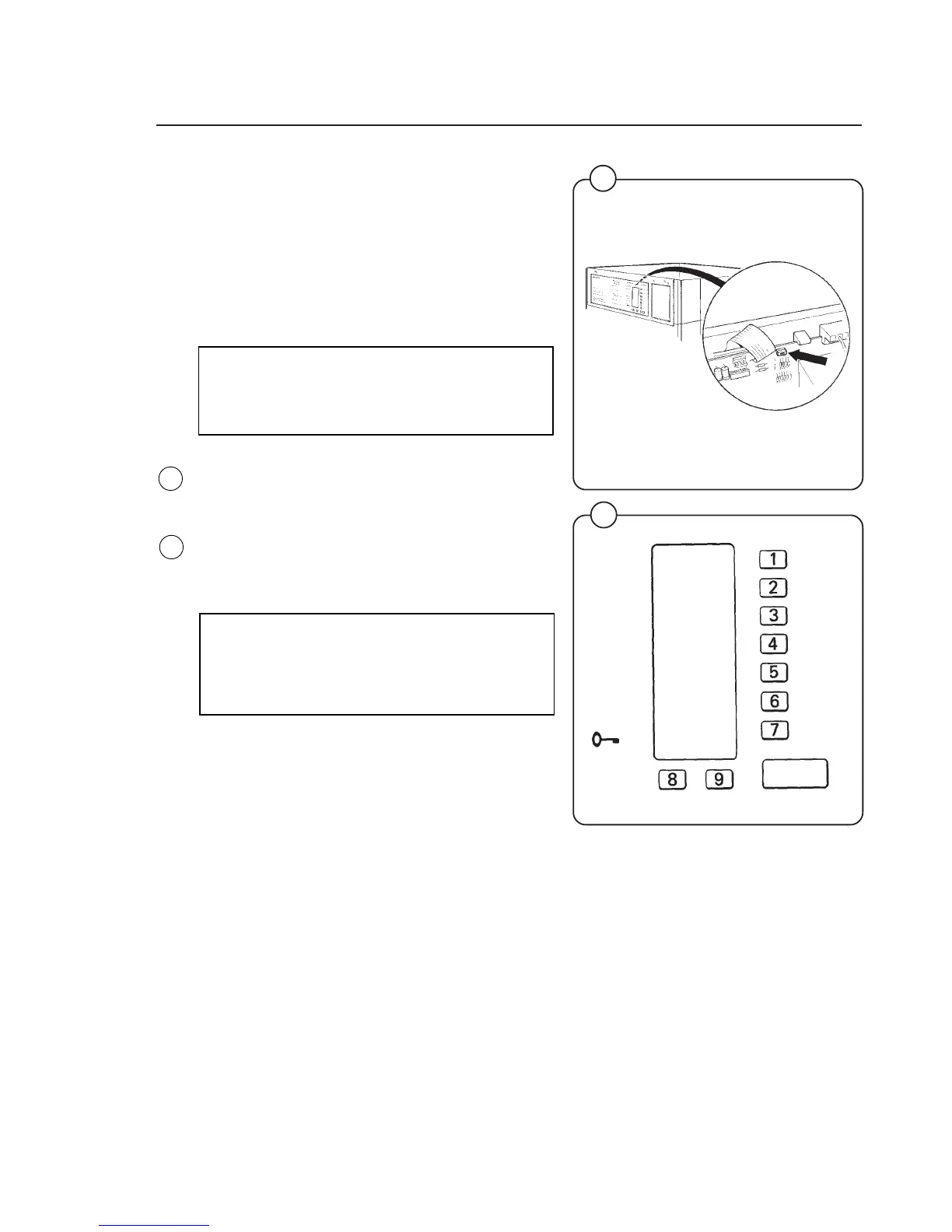
• Set the service switch to service mode. (The
switch located on the circuit board behind the
control panel display window).
This transforms the various program selection
buttons into a numerical pad. Numbers 1 to 7
are on the program choice buttons, 8 and 9 on
the supplementary program buttons and the
START button serves as an ON/OFF switch.
Caution
When in service mode the number 0 does
not exist. That's why only figures 11-19,
21-29 etc are used.
Fig.
76
Fig.
77
76
1476
77
1037
ON/OFF






 To Next Page