1.4.5 Using the Micro SD/ Nano SIM Card
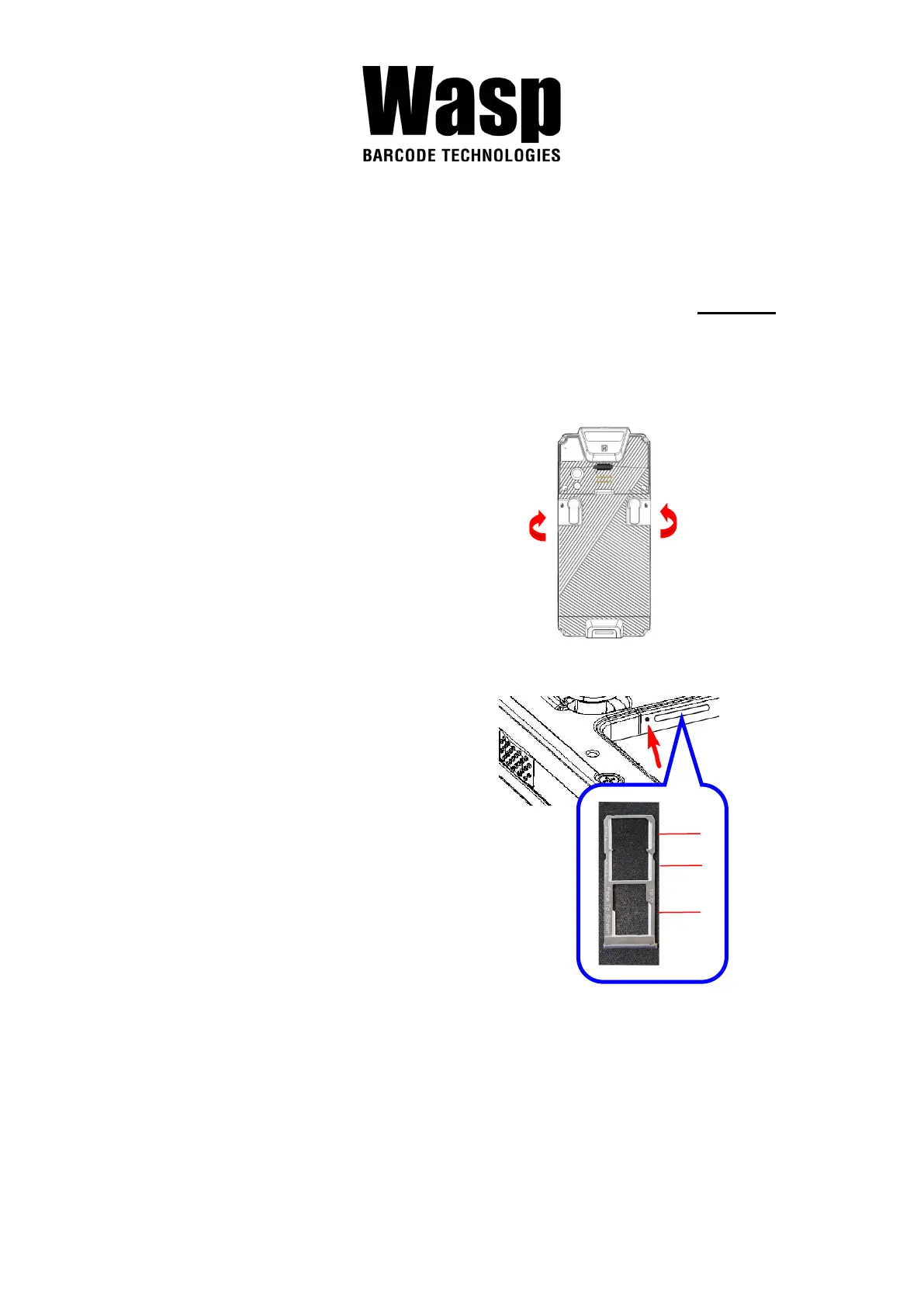
The DR5 has 1 x micro SD and 2 x nano SIM card slots inside the battery
compartment.
Note: Before inserting or removing micro SD card or nano SIM card, please TURN OFF
DR5 for the first step.
Inserting a Micro SD/ Nano SIM Card
1. To unlock the battery by
turning up the two knobs. And
pull the battery up to remove
it.
2. Insert the tip of the tray ejector
tool that came with the
package or a small bent
paperclip into the eject hole.
Then pull the tray out.
3. Now you can access the Micro SD card slot and two nano SIM card
slots.



 To Next Page