USE AND FUNCTIONING
4.3.1 Laser Data Capture
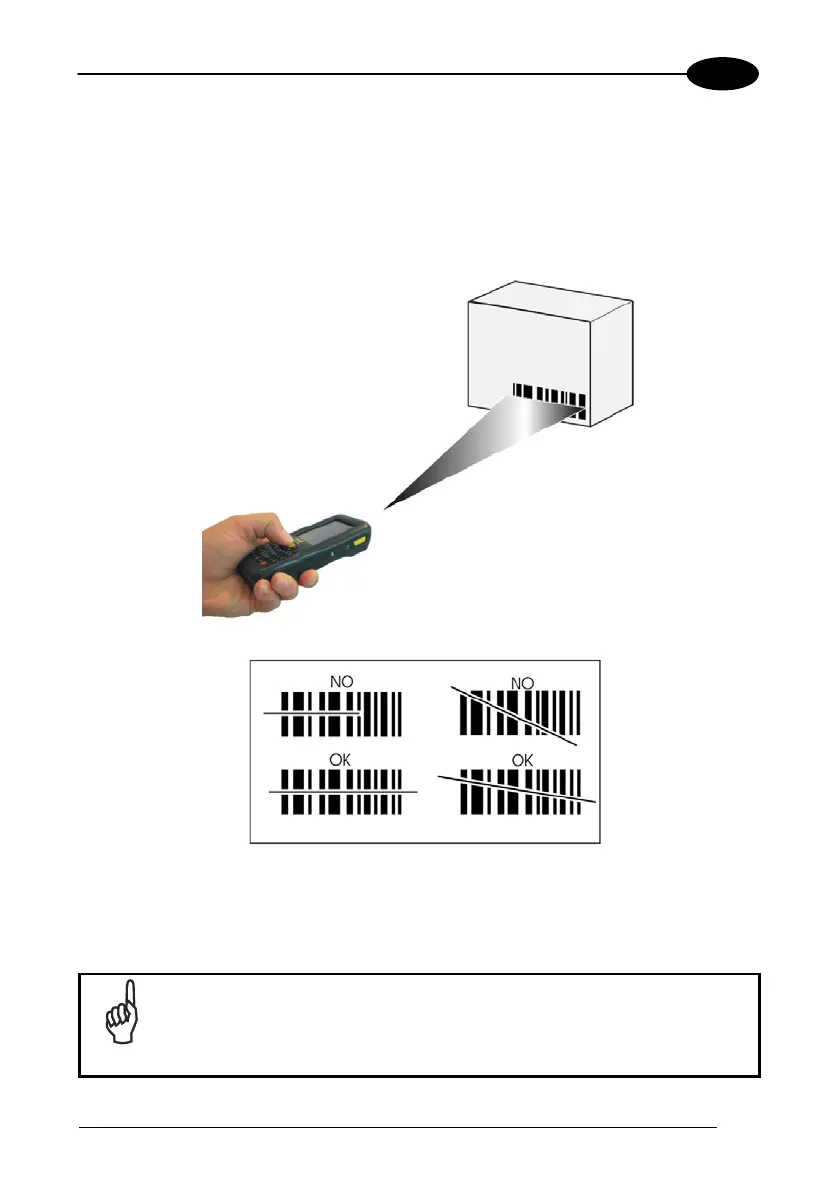
To scan barcodes, point the WDT60 laser model onto the code from a distance within
the reading range while pressing the SCAN key.
The lighted band emitted by the laser must completely cross the barcode as shown in
the figure below.
If the scan has taken place correctly:
− the Good Read LED glows steadily Green for a configurable time;
− if enabled, the Good Read Beep plays.
Remove the protective film cover over the Laser Output Window
before use, if present.
NOTE


 To Next Page