EasyManua.ls Logo

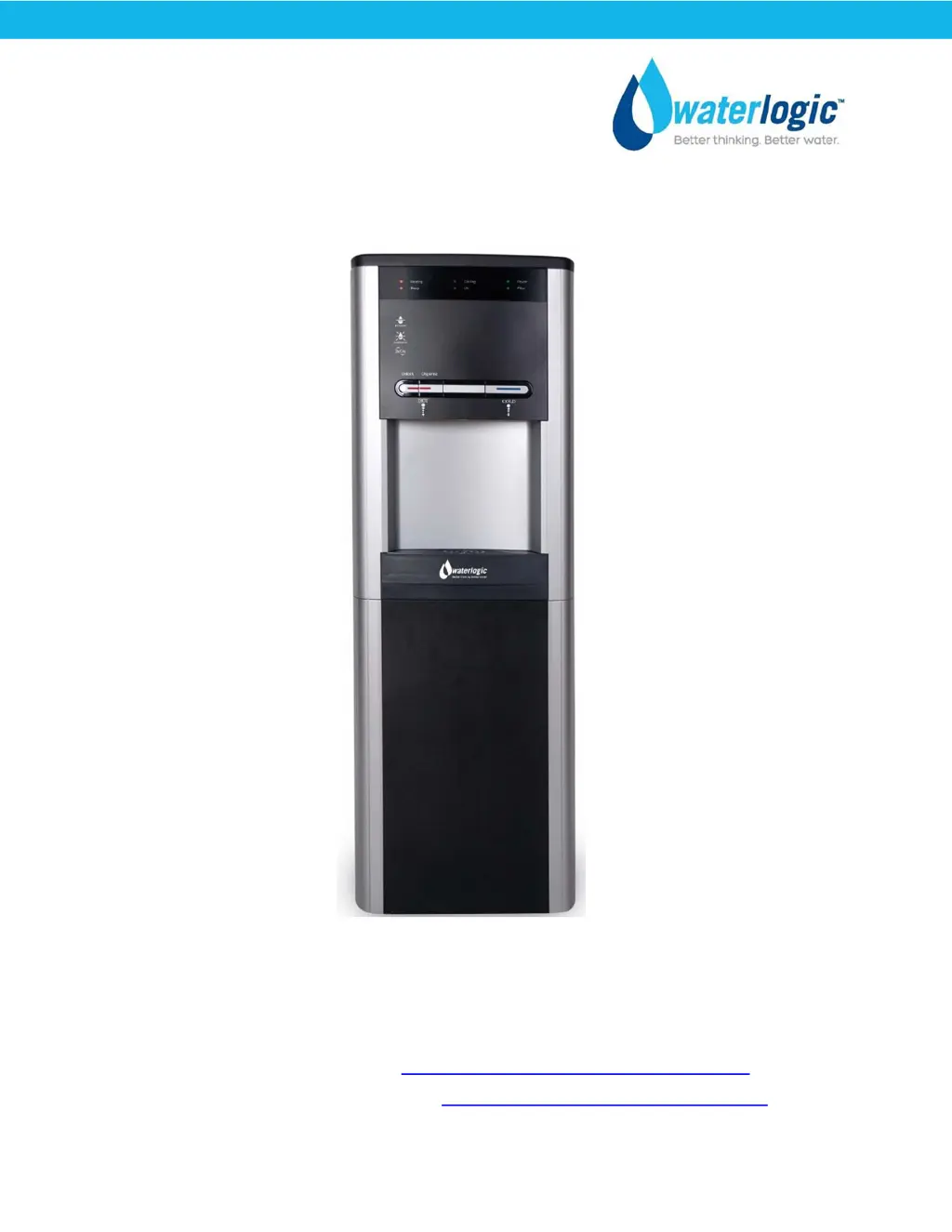
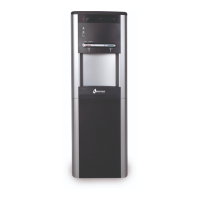
WaterLogic WL290 - User Manual

WaterLogic WL290
61 pages
Print Icon
To Next Page IconTo Next Page
Loading...
Waterlogic Commercial Products, LLC
11710 Stonegate Circle
Omaha, NE 68164
(800) 288-1891 www.waterlogicdealers.com
Tech Portal Website: techportal.waterlogic.com
Waterlogic International, LTD – Global Headquarters Grenfell Road, Maidenhead, Berkshire, SL6 1HN,
United Kingdom
WL290
MANUAL


Other manuals for WaterLogic WL290

Questions and Answers

  • N
    Nathan GonzalezAug 14, 2025
    What to do if my WaterLogic WL290 Water Dispenser has no power?
    • M
      Malik JohnsonAug 14, 2025
      If your WaterLogic Water Dispenser has no power, first, check that the building's electrical supply to the unit is on and the power cord is properly plugged in. Verify the power indicator light is on and test the fuse. You may need to perform standard electrical troubleshooting.
  • J
    Julie YoungAug 17, 2025
    Why is my WaterLogic WL290 Water Dispenser compressor not running?
    • M
      mark92Aug 17, 2025
      If the compressor on your WaterLogic Water Dispenser isn't running, first, ensure the Red Heater and Compressor Power Switch is in the 'on' position. If it is, turn the switch off, remove the compressor cap, disconnect the black and red terminal connectors, and inspect the compressor starter and overload relay for any defects. Replace any defective components. Also, check the cold-water thermistor for continuity with a multimeter and replace it if needed.
  • B
    Bryan MasonAug 20, 2025
    Why is no water dispensing from my WaterLogic Water Dispenser?
    • T
      Trevor FarmerAug 20, 2025
      Several issues could prevent water dispensing. First, ensure the water pressure is between 40 and 60 psi for proper operation. Check the water pressure at the inlet. Also, verify that the water supply valve is open and the unit is properly plugged into an electrical outlet, checking for blown circuit breakers. Make sure that the Red Heater and Compressor switch is turned on. Additionally, a blown fuse, water in the bottom tray triggering leak detection, or an exhausted filter/membrane could be the cause. Replace the fuse or filters/membrane if needed, and drain/dry the bottom tray if water is present.
  • A
    anthony75Aug 25, 2025
    Why is my WaterLogic Water Dispenser compressor running but not chilling?
    • S
      Stephen HansonAug 25, 2025
      If the compressor in your WaterLogic Water Dispenser is running but not chilling, the condenser might be dirty. Clean the condensing coil to remove any obstructions or dust. Also, ensure the unit has adequate ventilation (2 to 4 inches of space). If the compressor is running very hot, it may be low on or have lost refrigerant, requiring a refrigerant recharge.
  • J
    johnsonvincentAug 27, 2025
    What to do if my WaterLogic WL290 Water Dispenser is leaking water?
    • S
      Samuel RobertsonAug 28, 2025
      Most leaks in the WaterLogic Water Treatment System will be detected by the internal leak detection system, which will trigger or turn off the inlet solenoid valve. Isolate the water supply and begin standard troubleshooting procedures to find the leak.
  • V
    Victoria HowardAug 31, 2025
    What to do if my WaterLogic WL290 Water Dispenser only dispenses hot water, but no cold water?
    • D
      Douglas AndersonAug 31, 2025
      If your WaterLogic Water Dispenser only dispenses hot water, but not cold water, the cold tank might be frozen. Disconnect the power supply for one hour to allow the tank to defrost, then flush the cold-water system. Ensure the cold thermistor settings are correct (Factory Set Point 5°C (41°F), adjustable 3°- 7°C (37°F - 45°F)). Also, check that the mechanical water outlet faucet valve is operating correctly and that water flows through it.
  • J
    Jennifer ElliottSep 3, 2025
    What to do if my WaterLogic Water Dispenser only dispenses cold water, but no hot water?
    • M
      mooneydarrenSep 3, 2025
      If your WaterLogic Water Dispenser only dispenses cold water, but not hot water, verify the pipes feeding the Hot Water Tank. Check that the mechanical water outlet faucet valve is operating correctly and water flows through it.
  • N
    Noah GarciaSep 6, 2025
    Why does my WaterLogic WL290 Water Dispenser dispense a small amount of water periodically?
    • M
      Mr. John SullivanSep 6, 2025
      If your WaterLogic Water Dispenser dispenses a small amount of water periodically, it could be due to excessive water pressure. The recommended pressure for proper operation is 40 to 60 psi. Check the water pressure at the inlet. Another cause might be an obstruction in the solenoid housing preventing proper sealing. Drain the unit, remove the reservoir tank, open the faucet housing, and check for debris. Reassemble the faucet, replace the reservoir, and refill the unit. If the dripping continues, replace the faucet.
  • D
    Dillon HayesSep 9, 2025
    Why do the dispense buttons stick on my WaterLogic Water Dispenser?
    • W
      Walter CastroSep 10, 2025
      If the dispense buttons on your WaterLogic Water Dispenser are sticking, it's likely due to dirt or foreign material filling the gap around the push-buttons. Inspect the push buttons and clean the surrounding area. Also, inspect the faucet assembly inside the unit and clean as necessary.

Summary

WL290 Manual

Introduction

Overview of the WL290 Water Treatment System and its capabilities.

Safety Information

Safety Alert Symbols

Explains signal words (Danger, Warning, Caution) and their meanings.

Safety Precautions

Lists essential safety guidelines for installation and operation.

Product Features and Benefits

Product Certifications

Model and Part Designations

General Specifications

Shipping Specifications

Electrical Specifications

Operating Instructions

Warranty Information

Service Requirements

Main PCB Wire Drawing

LED Indicator Lights

Programming Instructions

Cold Water Temperature Setup

Details on setting the cold water temperature via DIP switches.

Hot Water Temperature Setup

Details on setting the hot water temperature via DIP switches.

Filter Timer Setup

Guides on configuring the filter replacement timer.

Sleep Mode Setup

Instructions to enable or disable the energy-saving sleep mode.

Hot Tank Descaling Instructions

Resetting Hot Tank Overload Devices

Replacement Components (Consumables)

Drawings and Parts Lists

Water Flow Diagram

Electrical Diagram

Pre-Installation Procedures

Draining Instructions

Installation Procedures

Fault Codes

Power Troubleshooting

Dispensing Troubleshooting

Hot Water Troubleshooting

Taste and Odor Troubleshooting

WaterLogic WL290 Specifications

General IconGeneral
FiltrationYes
UV SanitizationYes
Cooling SystemCompressor
Temperature SettingsAdjustable
Voltage220-240V
Water TypesHot, Cold
Heating Capacity5 liters/hour
Water Temperature Range5 - 10°C (Cooling), 82-95°C (Heating)
Power Supply220-240V, 50Hz
Heating SystemThermal
Power ConsumptionCooling: 100W
MaterialPlastic, Stainless Steel
ColorWhite, Silver
Weight21 kg

Related product manuals