11Andrew+ Robot User Manual
[ ANDREW+ ROBOT USER GUIDE ]
D. INSTALLATION OF THE TIP RACK
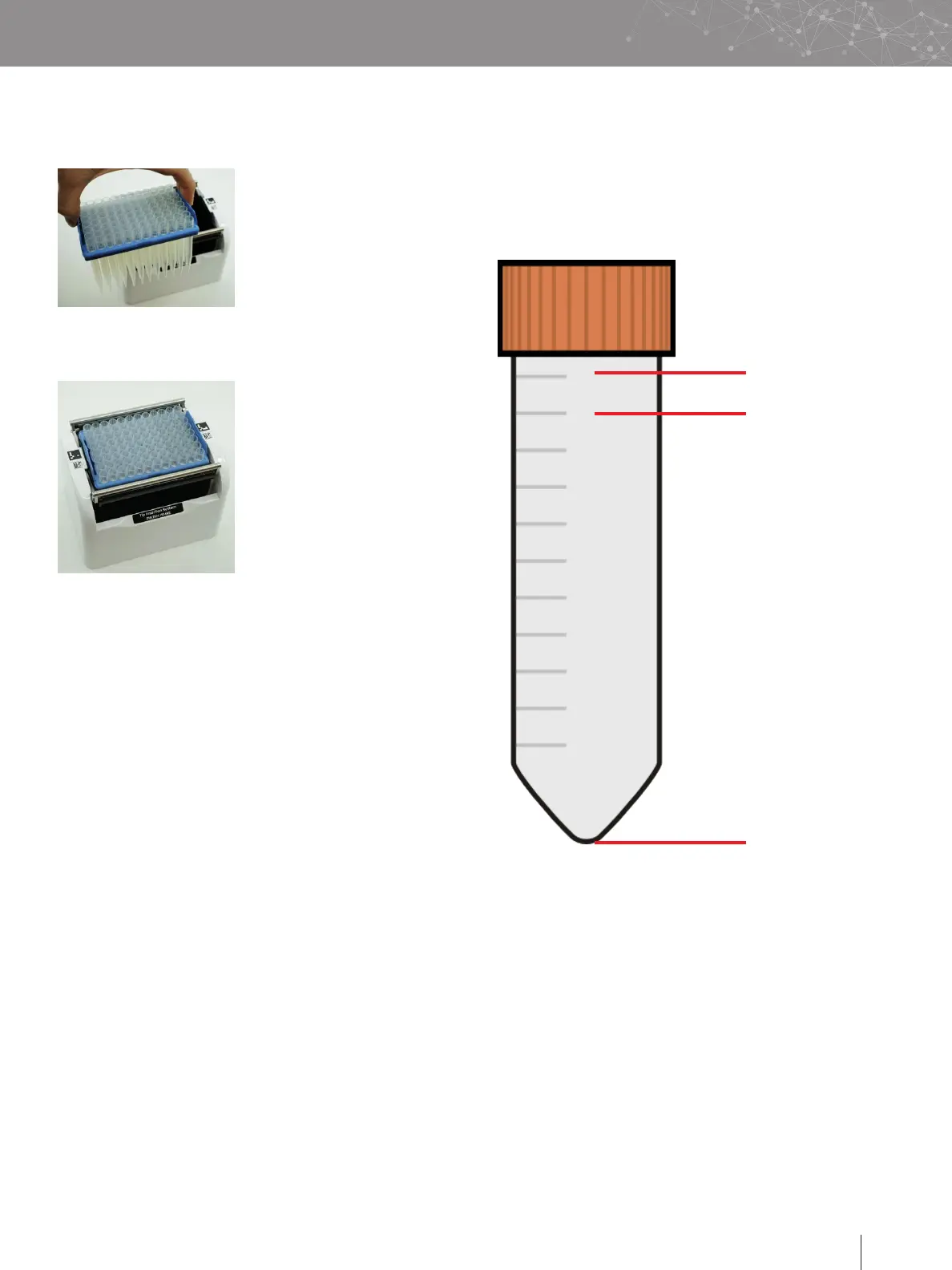
Select the right Domino according to the tip type. In particular
■
186010098, in case of 10 mL
tips
■
186009599, in case of 5 mL
tips
■
186009612, for all the other
tips
■
Manipulate the tip rack
using the two flaps present
on the shortest edges of the
tip rack
Place the tip rack inside the tip
Domino, and apply a vertical
pressure to ensure the correct
insertion of the tip rack
E. EXTERNAL TOOL DOCKING STATION
In the case of more complex experiments which require more
than 4 tools, it is possible to equip the Andrew+ Robot with
an additional docking station capable of hosting up to 3 tools.
The power and data connections with the Andrew+ Robot are
established via an electronic connector placed in the Waste
Domino.
The docking station connector must be placed on top of the
one in the Waste Domino.
F. LIQUID HANDLING OPERATIONS
i Volumes in consumables
The following remarks about volume definitions are important
regarding the selection of the most suitable consumable for
your experiment and for the correct design of your protocol.
Maximum volume
Working volume
Dead volume
■
Maximum volume
—
It represents the maximum volume which the
consumable can host.
■
Working volume
—
It represents the suggested maximum volume to be
used with this consumable.
■
Dead volume
—
It represents the amount of liquid which cannot be
further aspirated by the Andrew+ Robot.


 To Next Page