7Andrew+ Robot User Manual
[ ANDREW+ ROBOT USER GUIDE ]
ii. How to equip an Andrew Alliance pipette with a
pipette adaptor
The installation of the pipette adaptor is very simple and is
described in this section.
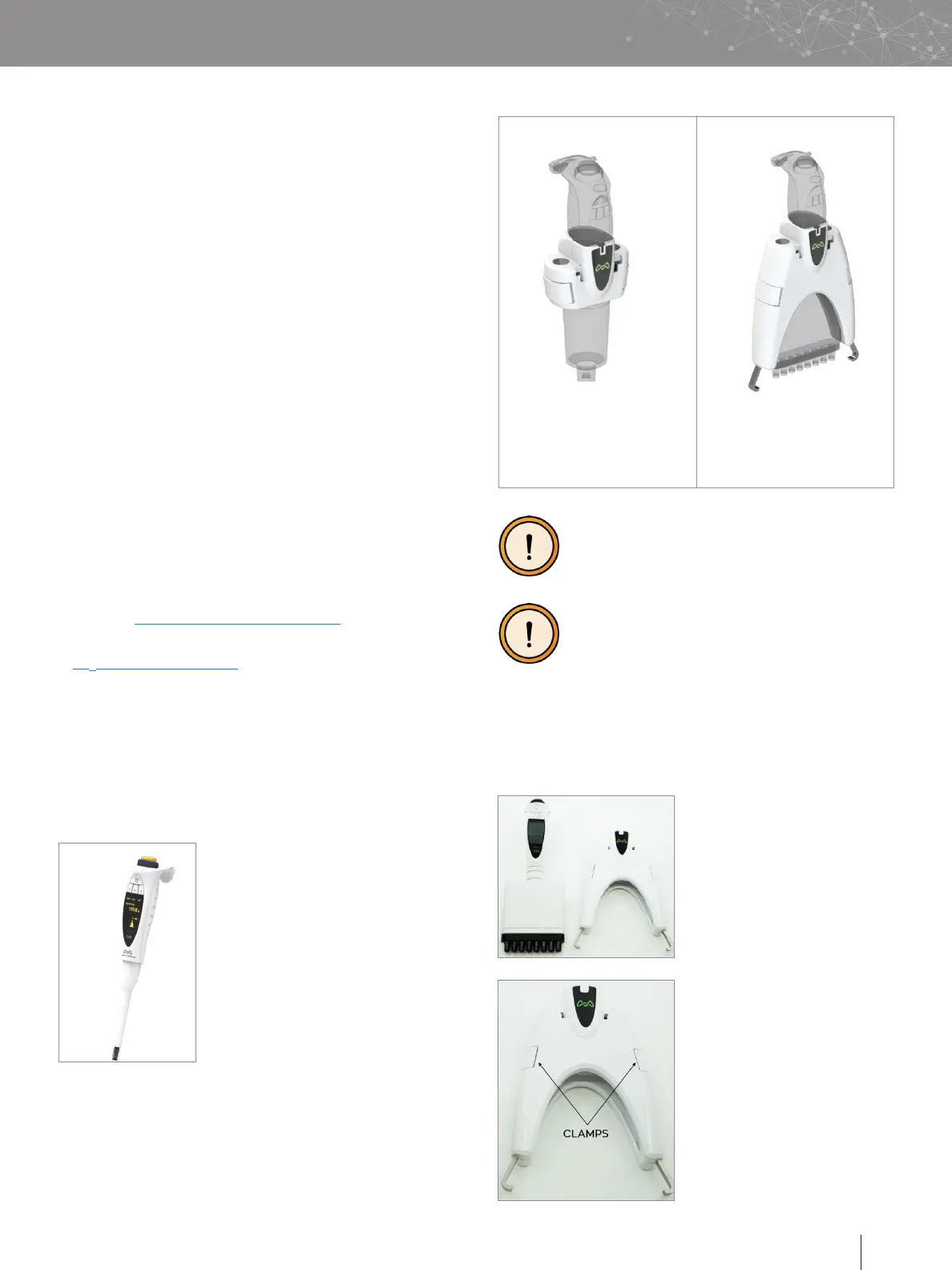
Select which pipette adaptor is
required according to the type
of pipette:
Open the pipette adaptor using
the two small clamps present
on its side (highlighted by the
two arrows in the image on
the left).
The Andrew+ Robot is capable
of manipulating Andrew Alliance
electronic pipettes; both single-
channel and 8-channel models.
The same pipettes can be used in
manual mode or using Pipette+.
To allow the Andrew+ Robot to
handle those pipettes, it is necessary
to equip each Andrew Alliance
electronic pipette with a pipette
adaptor.
In particular, there are two types of pipette adaptor: one
model for single-channel pipettes and one model for
8-channel pipettes.
Connect the power supply to one of the wall plugs present
in your lab. At this point, the Andrew+ Robot turns on
automatically and the booting procedure of the embedded PC
is initiated.
H. CONNECT THE ANDREW+ ROBOT TO OneLab
1. Verify that the Andrew+ Robot is connected to the power
plug.
2. Wait for the LED present on the Andrew+ Robot’s body to
turn blue and start blinking.
3. Connect your computer, tablet or smartphone to the Wi-Fi
name of the Andrew+ Robot.
4. Go to you Wi-Fi settings and select the network with the
name corresponding to the serial number of your Andrew+
Robot.
5. The LED present on the Andrew+ Robot will stop blinking
after a successful Wi-Fi connection.
6. Launch a web browser, type http://192.168.2.1 and follow
the on-screen steps to continue.
If you don’t have a Wi-Fi compatible device, please refer to our
online help: http://help.andrewalliance.com.
For any additional help, feel free to contact our support team
at aa
_
support@waters.com.
I. ANDREW+ ROBOT TOOLS
The capability to manipulate several tools enables different
functionalities in the Andrew+ Robot. The description of some
of those tools is provided in this section.
i. Single-channel and multi-channel electronic
pipettes
Pipette adaptor for
single-channel pipette
DO NOT forget to equip each Andrew Alliance
electronic pipette with a PIPETTE ADAPTOR
before placing it into the Andrew+ Robot
tool stand.
DO NOT put pipettes other than Andrew Alliance
branded electronic pipettes in the tool stand of
the Andrew+ Robot.
Pipette adaptor for
8-channel pipette
■
718.4001 for single-channel
pipette
■
718.4101 for 8-channel
pipette


 To Next Page