Restore defaults
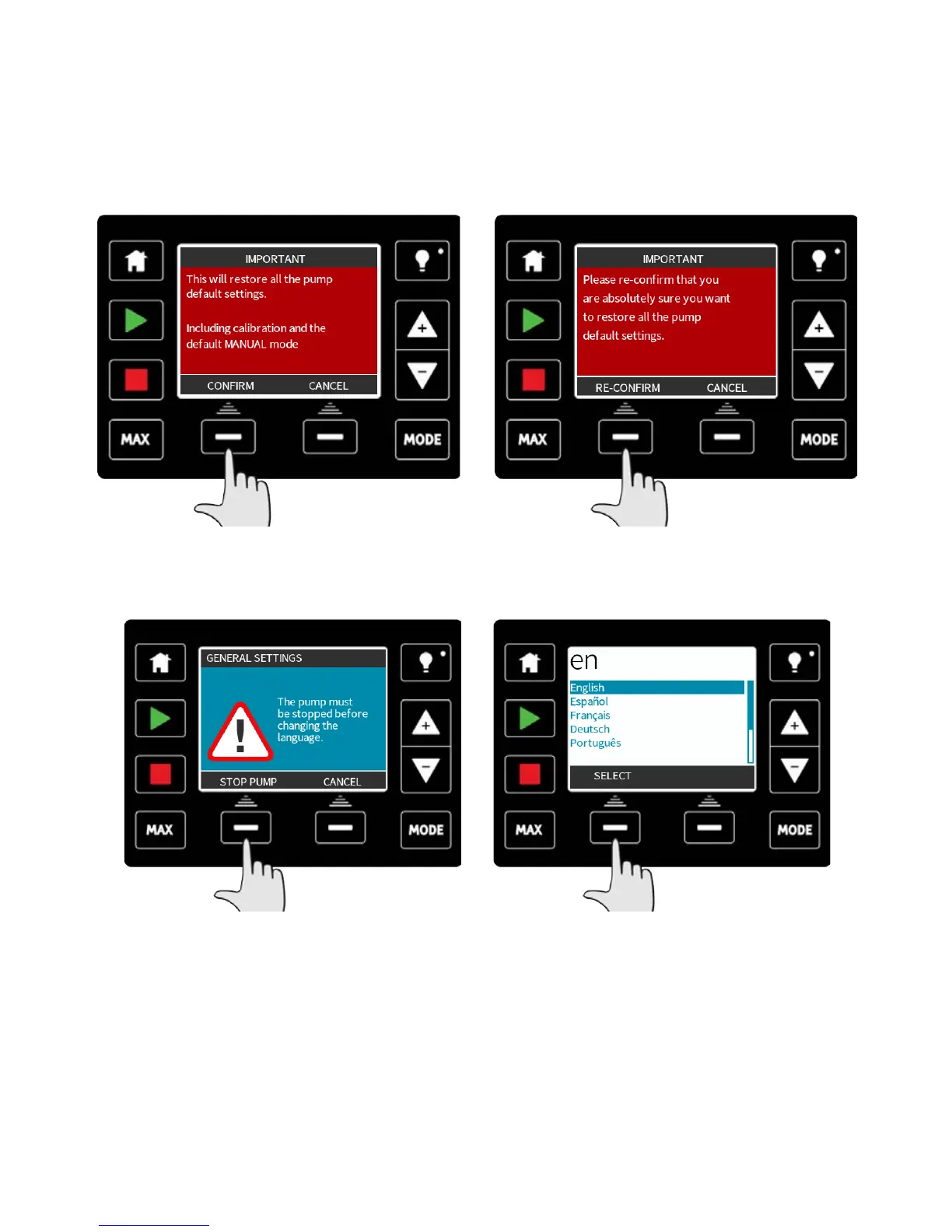
To restore the factory default settings, select restore defaults from the general settings
menu.
There are two confirmation screens to ensure that this function is not carried out in error.
Press CONFIRM followed by RE-CONFIRM to reset the defaults.
Language
Select language from the general settings menu to choose an alternative display language
for the pump. The pump must be stopped before changing the language.
Use the +/- keys to move the selection bar to your required language. Press SELECT to
confirm.
m-qdos-en-02 96


 To Next Page
 Loading...