EasyManua.ls Logo

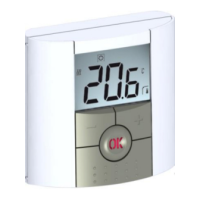
Watts BT-DRF-02 - User Manual

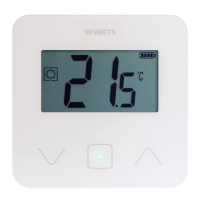
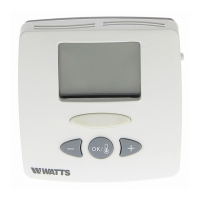
Watts BT-DRF-02
86 pages
Print Icon
To Next Page IconTo Next Page
Loading...
1
BT-DRF-02

Table of Contents

Questions and Answers

  • C
    Carolyn RamirezAug 2, 2025
    What does it mean when the battery logo blinks on my Watts Thermostat?
    • Z
      zhernandezAug 3, 2025
      If the battery logo is blinking on your Watts Thermostat, it means the battery level is too low. Replace the batteries to resolve this.
  • R
    Robert ZamoraAug 7, 2025
    Why is the room temperature not matching the setting on my Watts BT-DRF-02 Thermostat?
    • O
      owenslindsayAug 7, 2025
      If the room temperature is never in accordance with the setting temperature on your Watts Thermostat, you can try to calibrate your thermostat using the user menu parameter 04. If the issue persists, contact your installer to check and adjust the regulation parameters with your heating system.
  • S
    Suzanne RobinsonAug 12, 2025
    What to do if my Watts BT-DRF-02 Thermostat BT DRF-02 heating is not working correctly?
    • L
      luismcknightAug 12, 2025
      If your Watts Thermostat BT DRF-02 doesn't seem to be heating correctly, there are several things you can check: * Ensure that the RF signal is being received properly. * Verify all connections are secure. * Confirm that the heating element is getting power. * If the above steps don't resolve the issue, contact your installer.
  • J
    Jose JonesAug 17, 2025
    How to troubleshoot a Watts BT-DRF-02 Thermostat BT DRF-02 that doesn't start?
    • J
      Jennifer MendezAug 17, 2025
      If your Watts Thermostat BT DRF-02 doesn’t start, make sure to: * Remove the protection sticker from the batteries. * Check that the batteries are oriented correctly. * Verify that the batteries have sufficient capacity.
  • W
    William HolmesAug 22, 2025
    How to improve RF communication for my Watts BT-DRF-02 Thermostat?
    • B
      bradytomAug 23, 2025
      To improve RF communication with your Watts Thermostat: * Position the receiver at least 50cm away from electrical or wireless devices (GSM, Wi-Fi, etc.). * Avoid mounting the receiver on metal surfaces or near hydraulic pipes (copper).
  • C
    Christina RichardsAug 28, 2025
    What to do if my Watts Thermostat BT DRF-02 LED blinks red?
    • H
      Hunter SimpsonAug 28, 2025
      If the LED on your Watts Thermostat BT DRF-02 is blinking red, it indicates a problem with the sensors. Check the sensor connections and disconnect the sensor, and check it with an ohmmeter (the value must be around 10kohms). If problems persist, contact your installer or seller.

Summary

Presentation

Keyboard

Details the physical buttons like Minus, Plus, OK, Navigation, and Edition keys.

LED & Display

Explains the meaning of the Red Fix and Red flash indicators on the LED.

First Installation

Batteries installation

Instructions for inserting AAA batteries into the thermostat compartment.

RF installation

Initial steps for configuring the thermostat with its RF receiver, including pairing and testing.

Working mode definition

Autonomous working

Explains how to select different working modes for adjusting unit usage.

Manual mode Comfort

Sets a constant comfort temperature, adjustable with +/- keys.

Manual mode, Reduced

Sets a constant reduced temperature, adjustable with +/- keys.

OFF mode

Switches off the installation, with a warning about potential freezing.

Anti-freeze mode

Protects the installation against freezing, with an adjustable temperature setting.

Timer mode

Allows setting temperature and duration for a specific time period.

Special function

Keyboards lock Function

Prevents changes to settings, activated by pressing escape and edition keys.

Open window function

Detects open windows by temperature drop, stopping heating for a set period.

Information

Allows viewing current temperatures from probe sensors via the escape key.

Parameters menu

Radio configuration (INI)

Sends radio link signal to assign the thermostat with its RF receiver.

Temperature unit selection (dEG)

Selects the unit for displayed temperatures (°C or °F).

Internal probe calibration (AirC)

Calibrates the internal probe by comparing with a thermometer.

External probe calibration

Calibrates external wired probes using a similar method.

Anti-freeze temperature setting (HG)

Sets the anti-freeze temperature for Holiday mode.

Reset to Factory setting (Clr)

Resets all settings to factory defaults.

Zone number (CHA)

Displays the number of linked zones for multizone receivers.

Software version

Shows the current software version of the thermostat.

Exit parameters menu (End)

Exits the installation parameter menu and returns to normal operation.

Technical characteristics

Environmental & Electrical Specifications

Details operating temperature, protection, pollution degree, and installation category.

Temperature, Regulation, and Power

Covers temperature precision, setting range, regulation characteristics, power, and operating life.

Radio Frequency & Compatibility

Lists radio frequency, software version display, and compatible receivers.

Norms and Homologation

Lists compliance with various European standards and directives.

Troubleshooting & Solution

Batteries and Sensor Issues

Solutions for thermostat not starting or LED blinking due to batteries or sensors.

Output and RF Communication Problems

Troubleshooting for heating not working correctly and RF communication issues.

Program and Temperature Discrepancies

Solutions for temperature inaccuracies, suggesting calibration or installer check.

Advanced installers parameters menu

Accessing the Advanced Menu

Instructions on how to access the advanced installer menu on the BT-DRF-02.

Menu Navigation and Editing

Describes how to navigate, edit parameters, and exit the menu.

Sensor and Cooling Mode Configuration

Selects sensor type for regulation and enables/disables cooling mode.

Floor Temperature and Regulation Settings

Sets lower and upper limits for floor temperature and regulation types.

Concrete and Floor Covering Choices

Specifies concrete type and floor covering for optimal performance.

Setting Range and Window Detection

Configures minimum/maximum setting ranges and automatic open window detection.

Reloading Defaults and Exiting Menu

Reloads factory parameters and exits the installer's menu.

Watts BT-DRF-02 Specifications

General IconGeneral
Accuracy±0.5 °C
DisplayLCD
TypeDigital
MountingWall
Temperature Range5°C to 30°C
CommunicationRF 868 MHz

Related product manuals