226 CHAPTER 27 CLICK 340/341/342
Physical Features
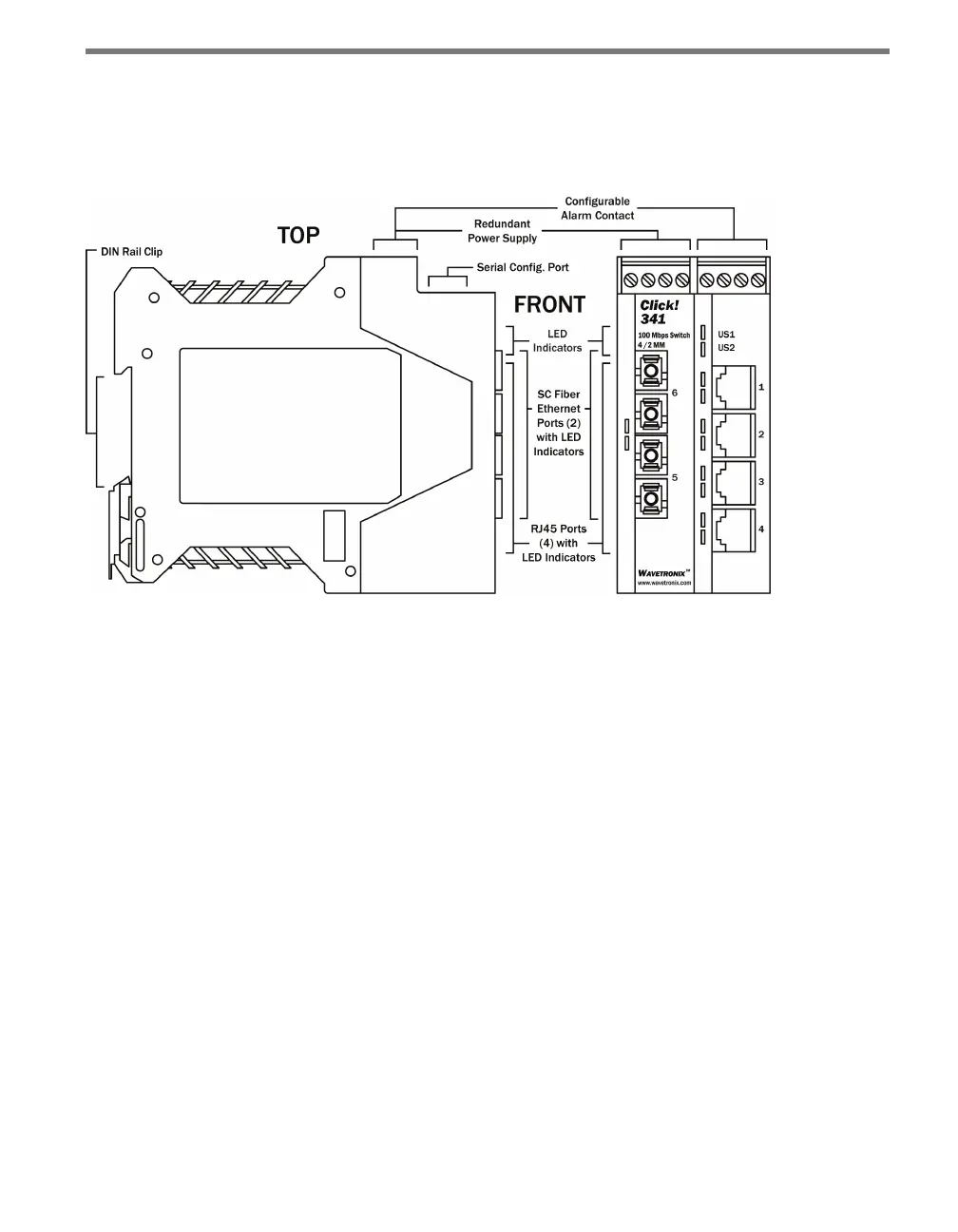
Each Click 340/341/342 module has several communication options, as well as features for
monitoring and conguration.
Figure 26.2 – Diagram of the Click 341
Communication Ports
Each Click 340, 341 or 342 device features the following physical Ethernet and ber optic
options:
Click 340 – Managed switch with eight RJ-45 ports.
Click 341 – Managed switch with four RJ-45 ports and two multimode SC ports.
Click 342 – Managed switch with four RJ-45 ports and two single-mode SC ports.
Serial Configuration Port
e top of the three modules features an RS-232 serial port. Use this port to connect an RS-
232 serial cable from the Click 340/341/342 to your computer.
Screw Terminals
e top of the three modules features two screw terminal blocks, with a total of eight screw
terminal connections.
e lemost block features four screw terminal connections that are reserved for connect-
ing power:



 To Next Page