242 CHAPTER 28 CLICK 400
Setting Description
RF Packet Size
Allows you to set the maximum size of an RF packet before it is sent.
Interface Timeout
Allows you to set the amount of time in milliseconds to wait until
your buer is full before sending.
Transmit Retries
Allows you to set the number of times the radio will transmit after
not getting a response (Address mode).
Broadcast Attempts
Allows you to set a number of times the radio will broadcast after not
getting a response (Broadcast mode).
System ID
Allows you to set a network password.
Table 27.9 – Expert Driver Config 3 Tab
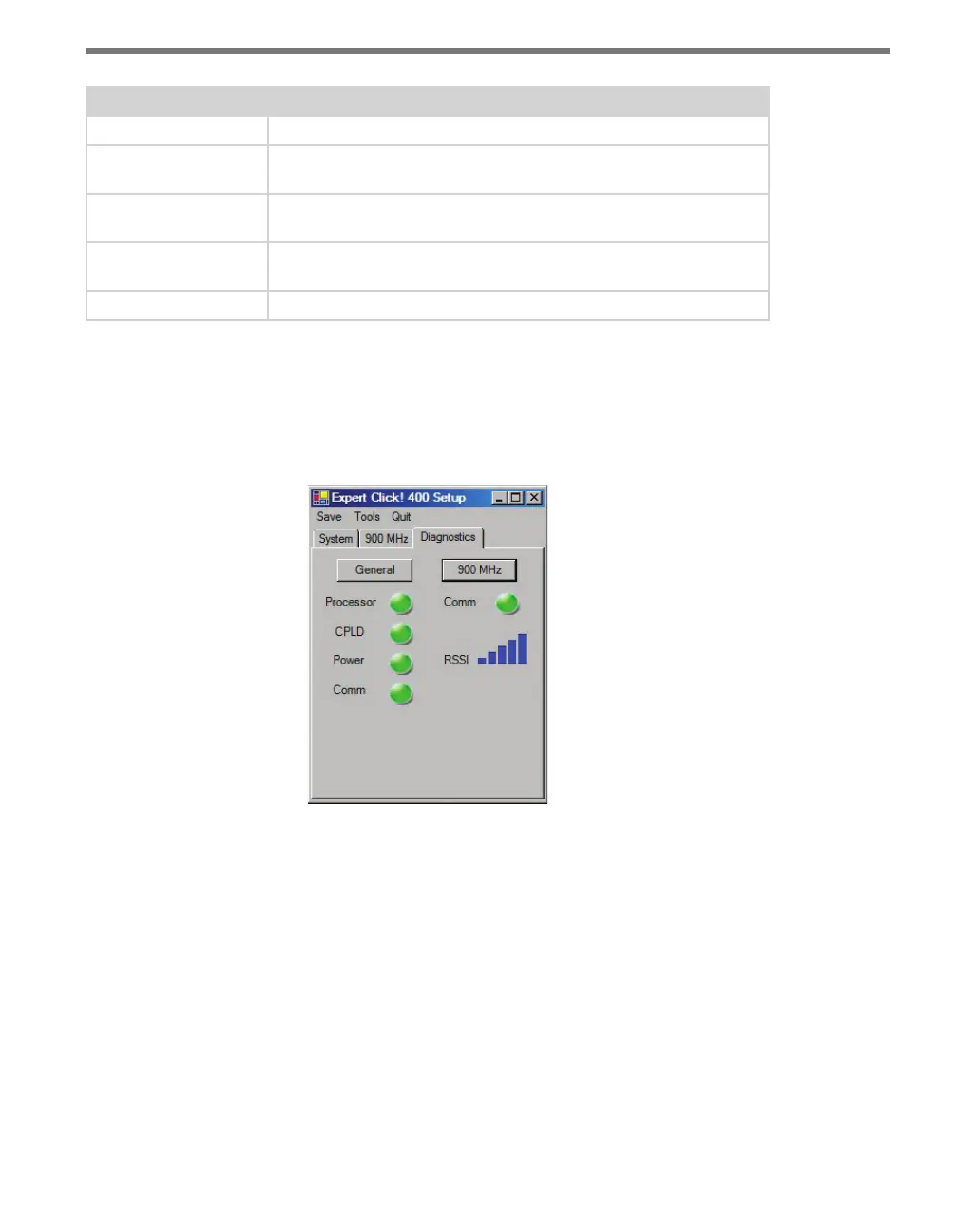
Under the Diagnostics tab, you can run diagnostics on your device (see Figure 27.13).
Click the General or 900 MHz buttons to run diagnostics on the items listed below each
button. If a problem is detected, the program will display a red square next to the item in
question. If no problems are detected, a green circle will appear.
Figure 27.13 – Expert Driver Diagnostics Tab
Once you have nished, use the menu bar at the top of the screen to save your settings,
return to the Select Driver screen, and more.
e Save menu allows you to save your settings. Select Save to File to save your settings
to a le. Selecting this will open a directory box, allowing you to name your settings
le. is le will always be saved in the Wavetronix folder created when you installed
Click Supervisor, under Wavetronix > ClickHome > Drivers > 400 > User. You can also
select Save to Device to save your settings to your Click 400.



 To Next Page