CHAPTER 3 WIRING THE DEVICES 25
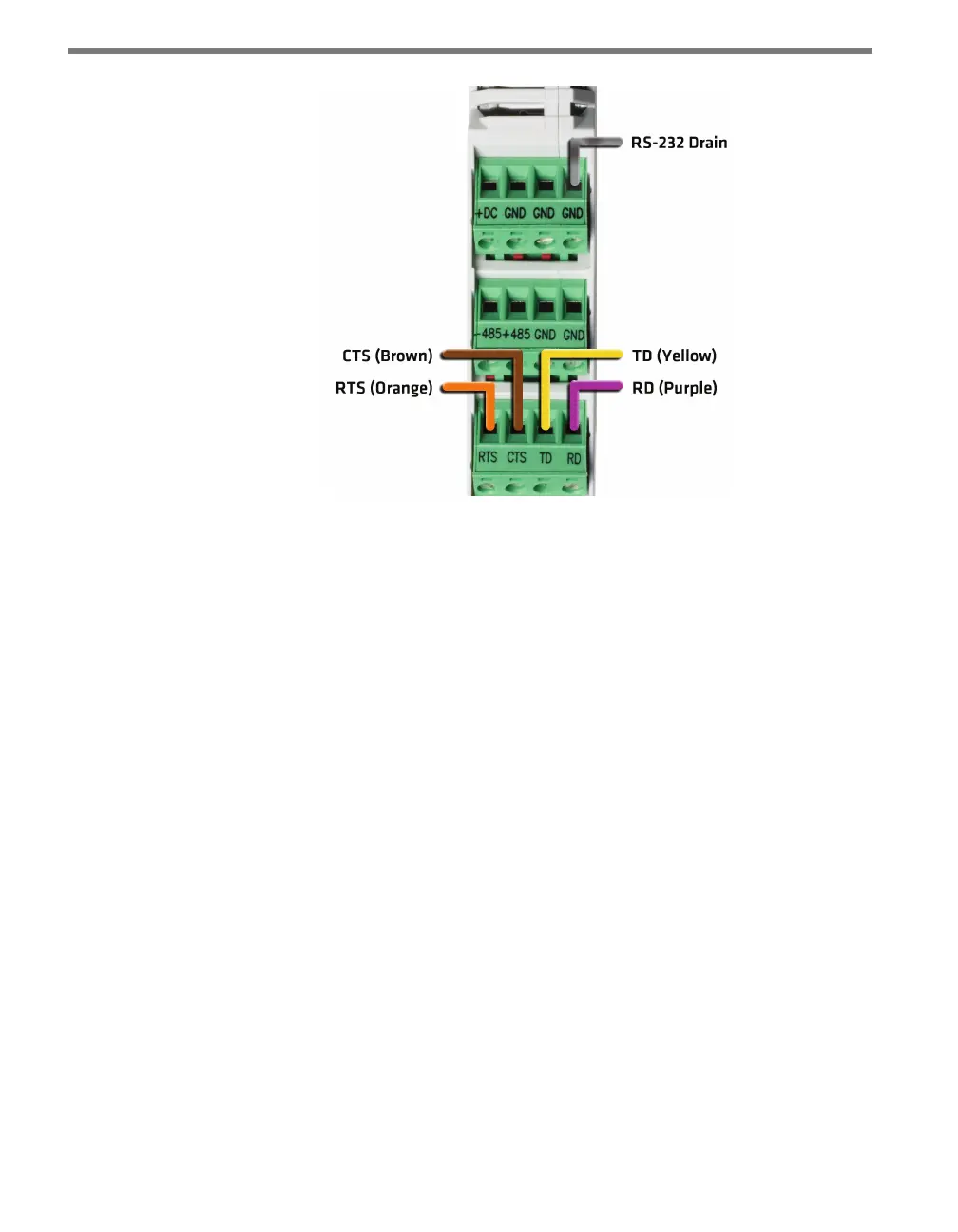
Figure 3.4 – Wiring RS-232 Communication into the Click 200
Wiring RS-232 from a Click Device
Many Click modules feature an DB-9 jack for RS-232 communication with a laptop or other
such device. To use, simply use a straight-through cable to connect the two devices.



 To Next Page