3.6 Probe Use
• Acceptable Temperature Range: -22°F to 700°F (-30ºC – 371ºC)
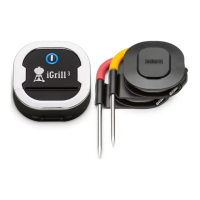
• The iGrill
2
probes should always be inserted into the center of the item
being cooked for an accurate temperature reading.
• The iGrill
2
colored probe indicators are for visual identification of the
probe(s) within the app and cosmetic purposes only. They are not
designed for heat safety.
• The iGrill
2
probes should be cleaned by hand with a dishcloth, standard
dishwashing soap and warm water. The probes are not dishwasher safe.
Take precaution not to get the probe’s wiring wet.
• The iGrill
2
probe wraps allows for convenient storage of your probes
and are magnetic so that they can be stored under your iGrill
2
when not
in use.
NOTE:
• Be sure to avoid water exposure to the probes’ wiring as well as the area
where the probes’ wiring meets the probes. The iGrill
2
probes are not
waterproof and damage may result from water exposure. Probes should
never be submersed in water.
• When using a Pro Meat Probe, be sure to route the probe wire where it
will not be exposed to flames or temperatures exceeding 572° or 300ºC.
iGrill
2
comes equipped with two Pro Meat Probes which can be exposed
to temperatures as high as 700ºF or 371ºC.
• Temperatures below -22°F or above 572°F (-30C – 300C) will not display
in the iDevices Connected app and will cause the probe to disappear
from connection.
3.7 Probe Wrap Use
To wrap your iGrill
2
probe on the probe wrap:
• Hold the probe wrap so that the clip segment is on the bottom left and
the iDevices logo is legible in the center of the probe wrap.
• Snap the probe into the probe wrap’s clip, ensuring that the probe’s
body follows the contour of the probe wrap and leaves a ½ inch gap
between the probe and the wire channel of the probe wrap. The tip of
the probe should be pointing downward.
• Wrap your probe’s wire clockwise around the probe wrap.
• When you reach the adapter end of the probe wire, it can be inserted
into the probe wrap’s wire channel to secure the wrapping.


 To Next Page