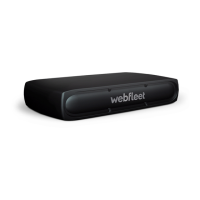
Mounting the LINK 710
Your LINK 710 comes with an integrated mobile network antenna and an integrated
GPS antenna. Depending on the position you choose for the installation, you can
install your LINK 710 without an external GPS antenna.
The device must be positioned with the top side pointing to the sky.
The device must be positioned so that it is unobstructed by metal objects.
The device must not interfere with clear vision for the driver.
Tinted metallised windscreens or those with integrated filament heating may block
GPS reception.
Place the unit a minimum of 5 cm (2 inches) distance to the coachwork or other
metal items, so that optimal mobile network transmission and GPS reception is
ensured.
The unit must be placed on an oil free, dry and clean surface, when using the
adhesive strips. Extreme temperature changes/differences can affect the adhesive
property of the strips.
The device must not be placed inside ventilation ducts.
The device and its cable must not block or impede vent controls, in the case the
device is mounted near ventilation ducts.
Do not mount the device close to other electrical components in the car like built-in
alarms, gateway, control units, navigation units or to toll collect devices where it
could cause or receive interferences.
Before installing the device, please consider the safety instructions and choose the
correct position.
The LINK 710 can be attached with the two adhesive strips or the two tapping screws.
15


 To Next Page