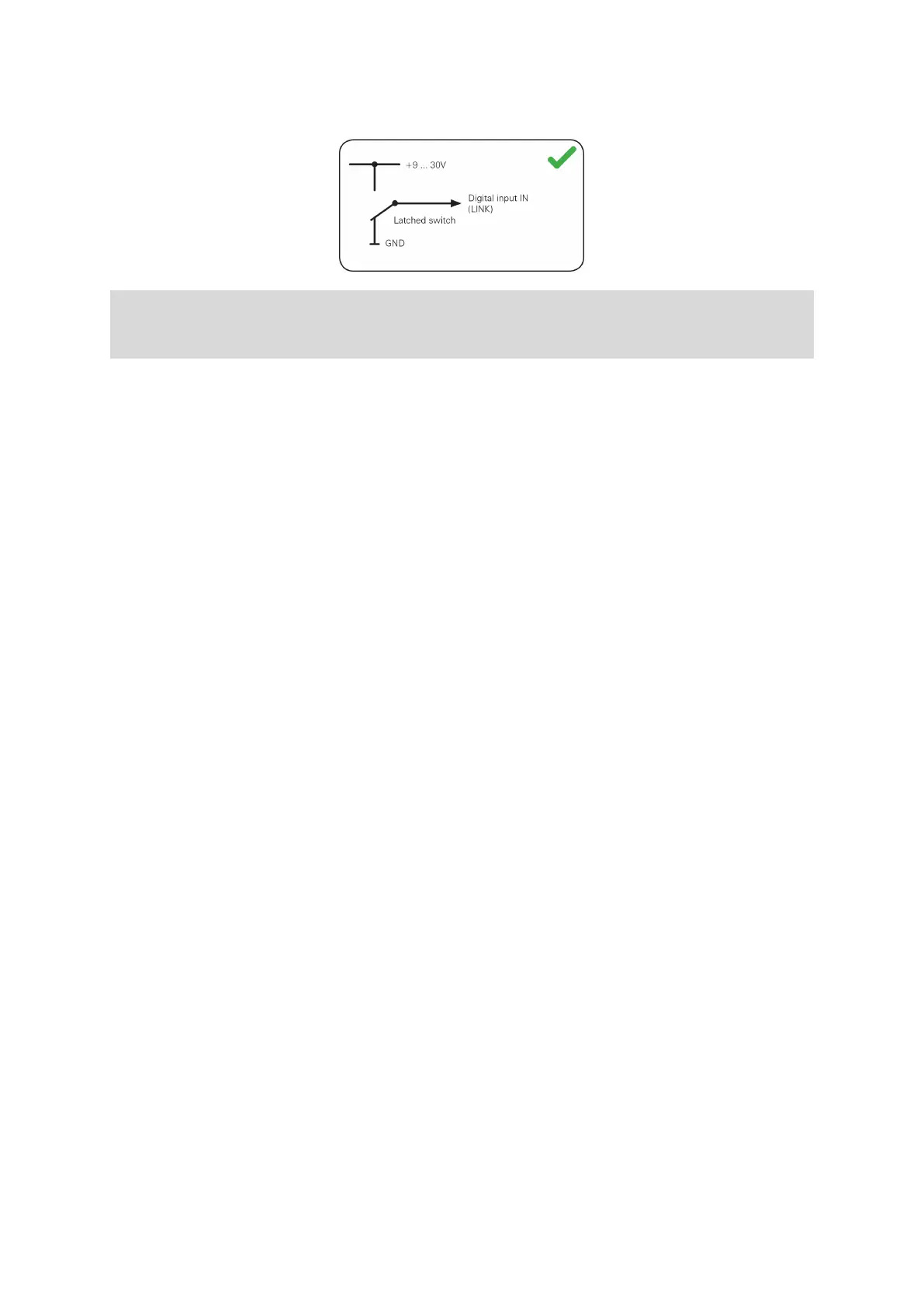
Connect a latched switch to IN as shown below.
If the switch is on (connected to vehicle voltage), the logbook mode is set to Private
trip. If the switch is off (connected to GND), the logbook mode is set to Business
trip.
Using the input IN for idle time reporting
Your LINK 710 can report idle times to WEBFLEET when the engine is running for
longer than five minutes and the vehicle is not moving. This requires configuration in
WEBFLEET.
The input IN must be connected to a signal indicating the activity of the engine, for
example alternator, engine, etc. The input IN must be active when the engine is
running.
30


 To Next Page