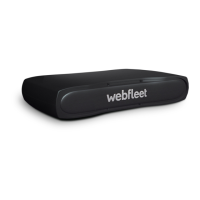
Get going
What you can do with your PRO 2020
Using your PRO 2020 you can report working hours, keep a logbook and help
improve your driving style:
▪ You can identify yourself to the device using your personal RFID card and
therewith be assigned to the vehicle. With that, all trips you make will be
associated to you as a driver.
▪ You can use your PRO 2020 to report start, break and end of work by using
personal RFID cards. With that, one or more employees can use your PRO 2020 to
report working hours.
▪ Using the PRO 2020 you can easily maintain a mobile logbook. Report private,
business and commute trips by simply tapping the display and all location based
information that is required is taken from the LINK installed in your vehicle.
▪ Your PRO 2020 enables you to drive safer and more eco-friendly. It gives you
advice on idling, harsh braking and harsh steering. Additionally, it advises to shift
up when you are over-revving. On the device you get immediate insight into your
driving style and fuel consumption.
Note: You require a LINK device, as mentioned in this document under
Accessories not supplied with the device, to connect to your PRO 2020. To make
use of the full OptiDrive functionality you also require a CAN installation or a
LINK 105 installed in your vehicle and connected to the LINK device.
Installing in your car
Your PRO 2020 must be wired to a LINK device installed in your vehicle and fixed to
the dashboard of your vehicle. For detailed installation instructions, please refer to
the installation guide that you can find on
www.webfleet.com/support.
Note: You may need an additional mount for your individual installation. You can find
accessories for your PRO 2020 on www.webfleet.com/accessories.
Positioning the device
Be careful where you install your PRO 2020. The PRO 2020 shouldn't block or
interfere with any of the following:
▪ Your view of the road.
▪ The controls in your vehicle.
▪ Your rear-view mirrors.
▪ The airbags.
You should be able to reach your PRO 2020 easily without leaning or stretching. In a
car, you can attach your PRO 2020 to an air vent, on the dashboard or affix it to the
dashboard using an additional mount.
For detailed information on finding the right place and accessories for mounting your
PRO 2020, please refer to the installation guide on www.webfleet.com/support.
9



 To Next Page