WECON VM AC Drive User Manual V2.0
WECON technology Co., Ltd
3.3 Main circuit connection
DC 0V ~ 10V or 0/4-20mA,set by parameter F5.41
External digital signal input
S+: Positive terminal of differential signal
S-: Negative terminal of differential signal
As shown in the figure above; pin 1 is connected to S+,
and pin 2 is connected to S-
Table 3-2 Main circuit terminals and function
4 Display and operation
4.1 Keypad
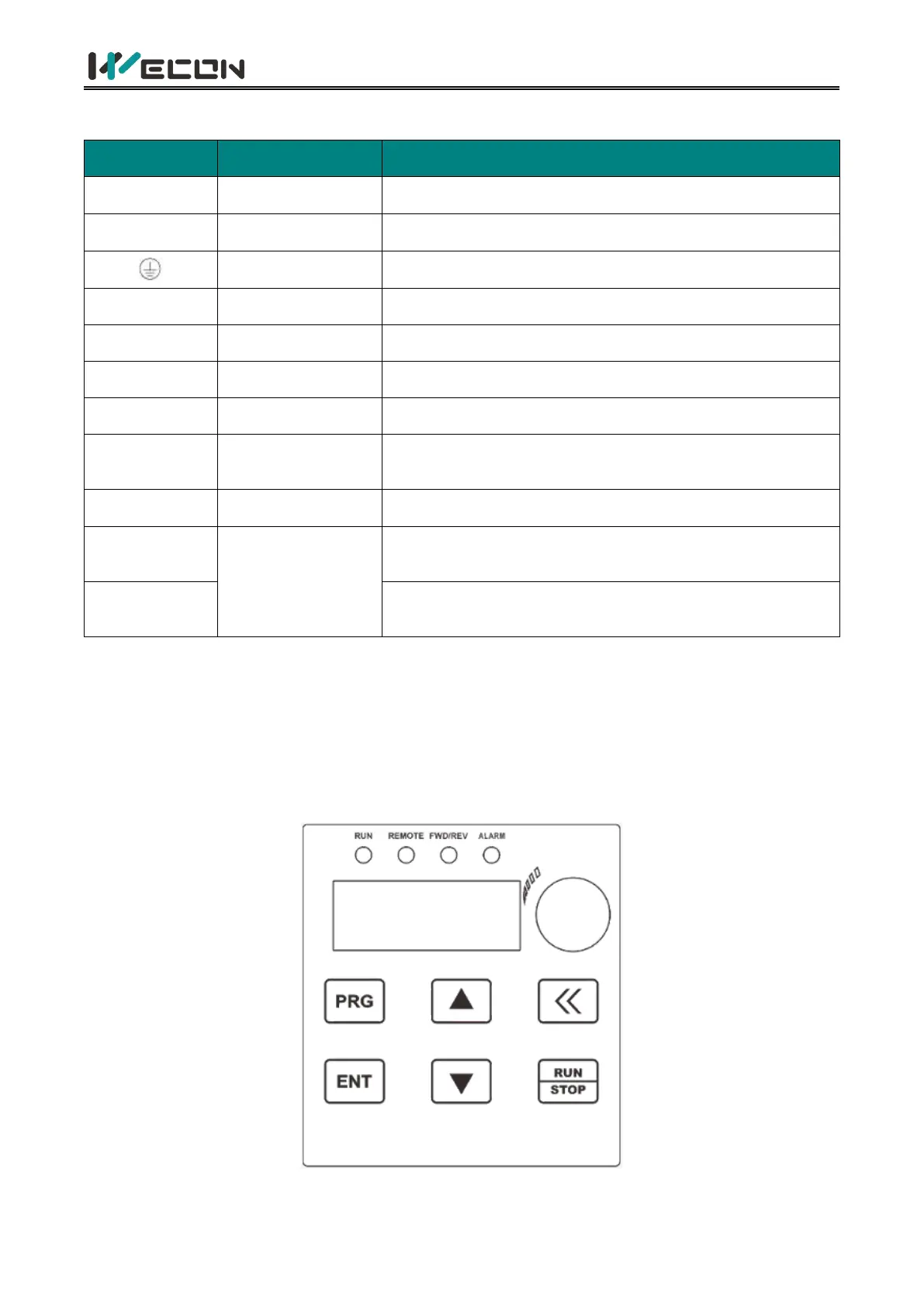
You can modify the parameters, monitor the working status and start or stop the AC Drive by
operating the keypad, as shown in the following figure.
Figure 4-1 Keypad diagra


 To Next Page