WECON VM AC Drive User Manual V2.0
WECON technology Co., Ltd
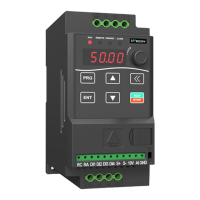
4.2 Keypad Operation
RUN: On/Running,Off/Stopped
REMOTE: On/Terminal Control,Off/Keypad
Control,Blink/Communication Control
FWD/REV: On/FWD,Off/REV,Blink/ FWD & REV Switching
ALARM: Blink/Error,Off/Normal
Enter or exit parameter setting
Enter the parameters step by step、save parameter
adjustments
Increase parameter or its value
Decrease parameter or its value
During parameter setting, select the modification bit of
the parameter
During stop/run monitoring, the display parameters can
be selected cyclically
In keypad operation mode, control run and stop
It can be used for error reset when the drive alarms
Speed Adjusting
Potentiometer
Can be used for speed(frequency)adjusting
Table 4-1 Description of Indicators and key
5 Parameter function
“○” indicates that the set value of this parameter can be changed when the VFD is in stop or
running state.
“●” indicates that the set value of this parameter cannot be changed when the VFD is running.
“◎” indicates that the value of this parameter is the actual detection record value and cannot be
changed.
5.1 Functional parameters
0: Default
1-5: Reserved
6: Spring Machinery
Application Macro
9-12: Reserved
0: Keypad
1: DI Terminal
2: RS485 Communication


 To Next Page