First, configure the communication between the WiFi
module and dAISy.
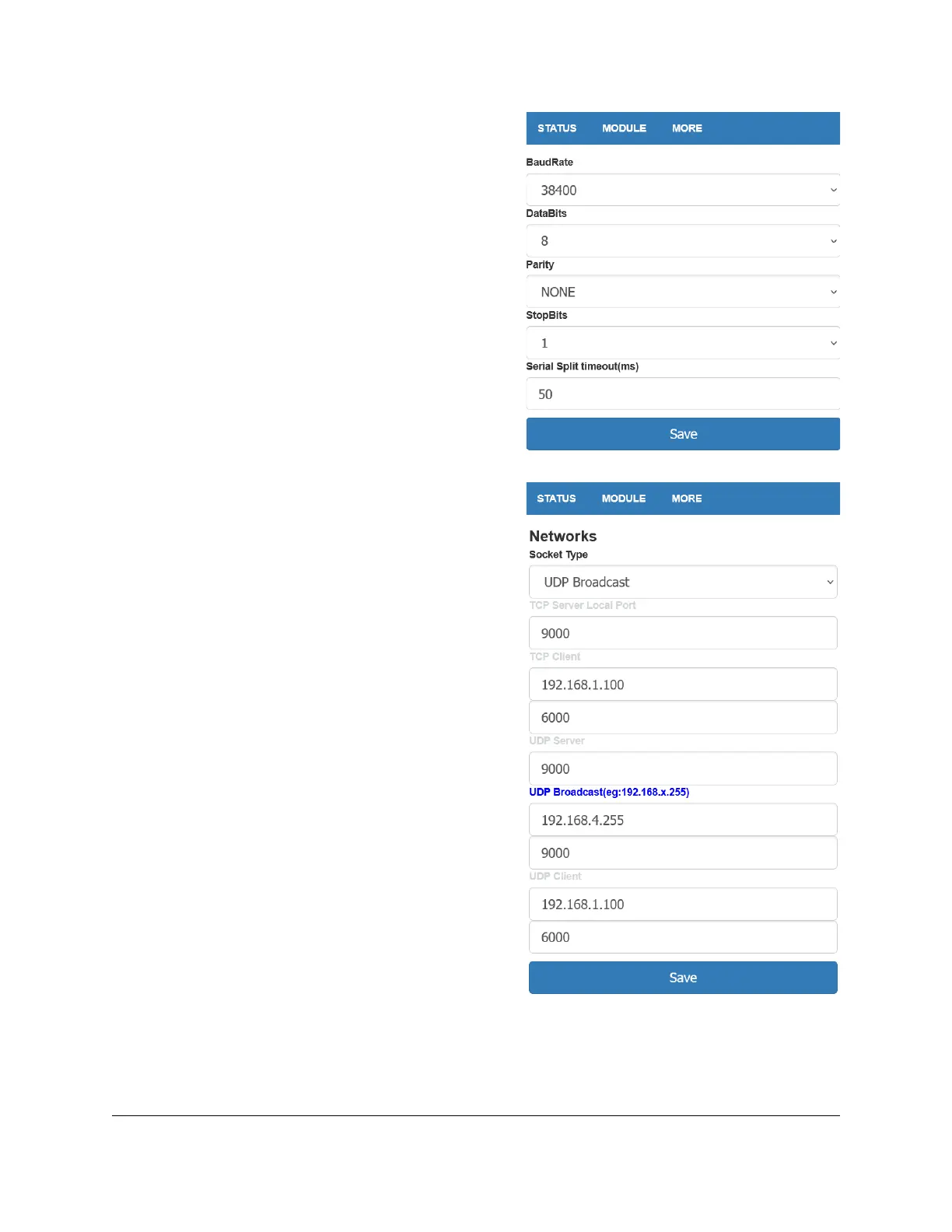
Navigate to MODULE > Serial. Set BaudRate to 38400.
Leave the remaining fields at their defaults (8, NONE, 1,
50).
Click Save.
Next, configure protocol, address, and port on which AIS
data will be broadcasted.
Navigate to MODULE > Networks. In the field Socket
Type at the top of the page, select UDP Broadcast from
the drop down.
Further down the page, in the fields below the blue
section title UDP Broadcast, enter the IP address
192.168.4.255 and the port number 9000.
Click Save.
Write down the IP address and the port number on a
piece of paper. You will need them for the configuration
of the navigation apps on PCs and mobile devices.


 To Next Page