5.1.5 Configure Navionics Boating App
Garmin Boating, also known as Navionics, is a popular
app for mobile devices that in its paid version also
supports AIS.
Connect your mobile device to the WiFi access point
of the dAISy 2+ AIS receiver.
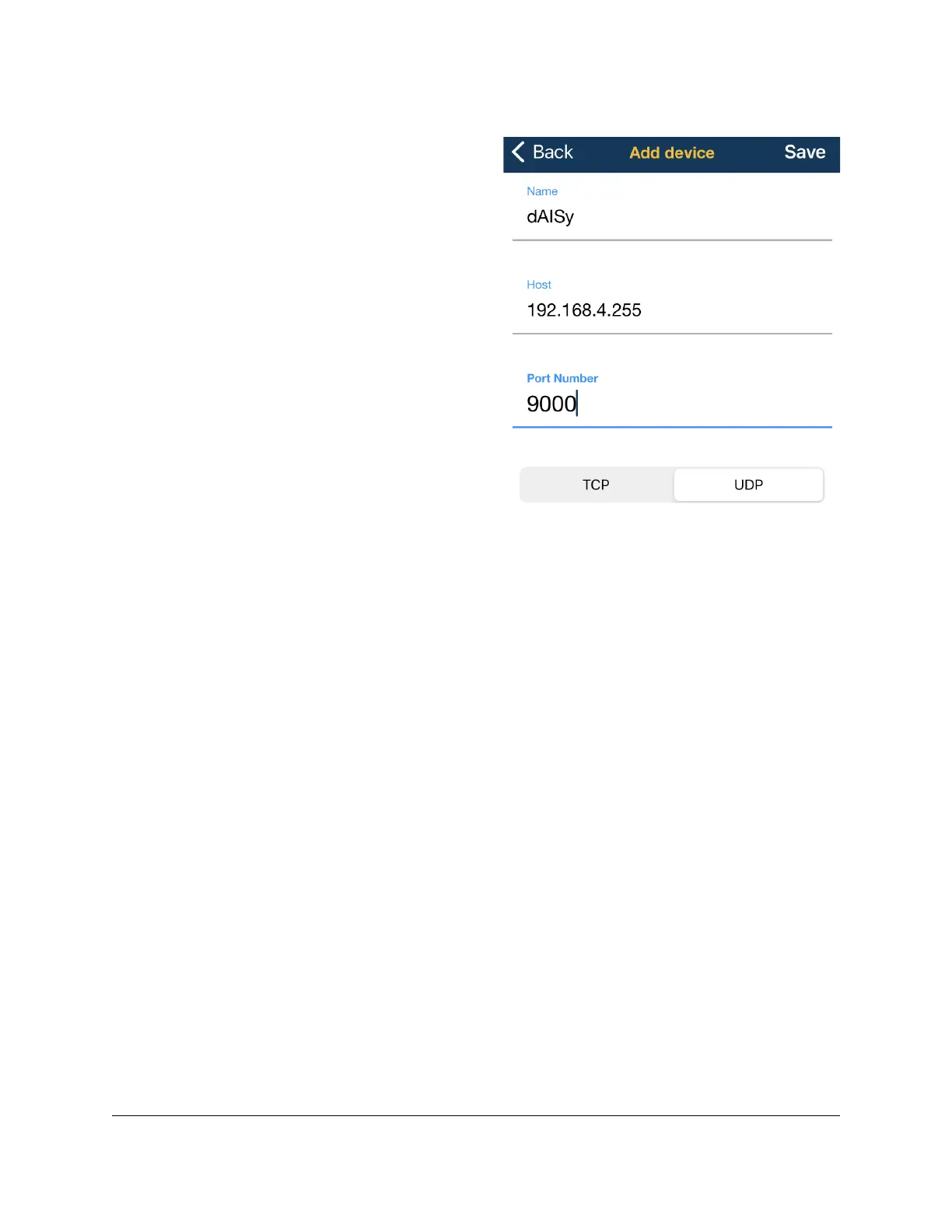
Open the Navionics app. Go to Menu > Paired
Devices. Press + to connect a new device, and press
ADD DEVICE at the bottom of the screen. Give the
device a name, for example dAISy. In the field Host
enter the IP address you noted down. In the field Port
Number enter the port you noted down. Press UDP to
select the correct protocol.
Press Save to complete the configuration.
Note that Navionics will report the AIS receiver as
Disconnected if there is no active AIS traffic.


 To Next Page