_ i_
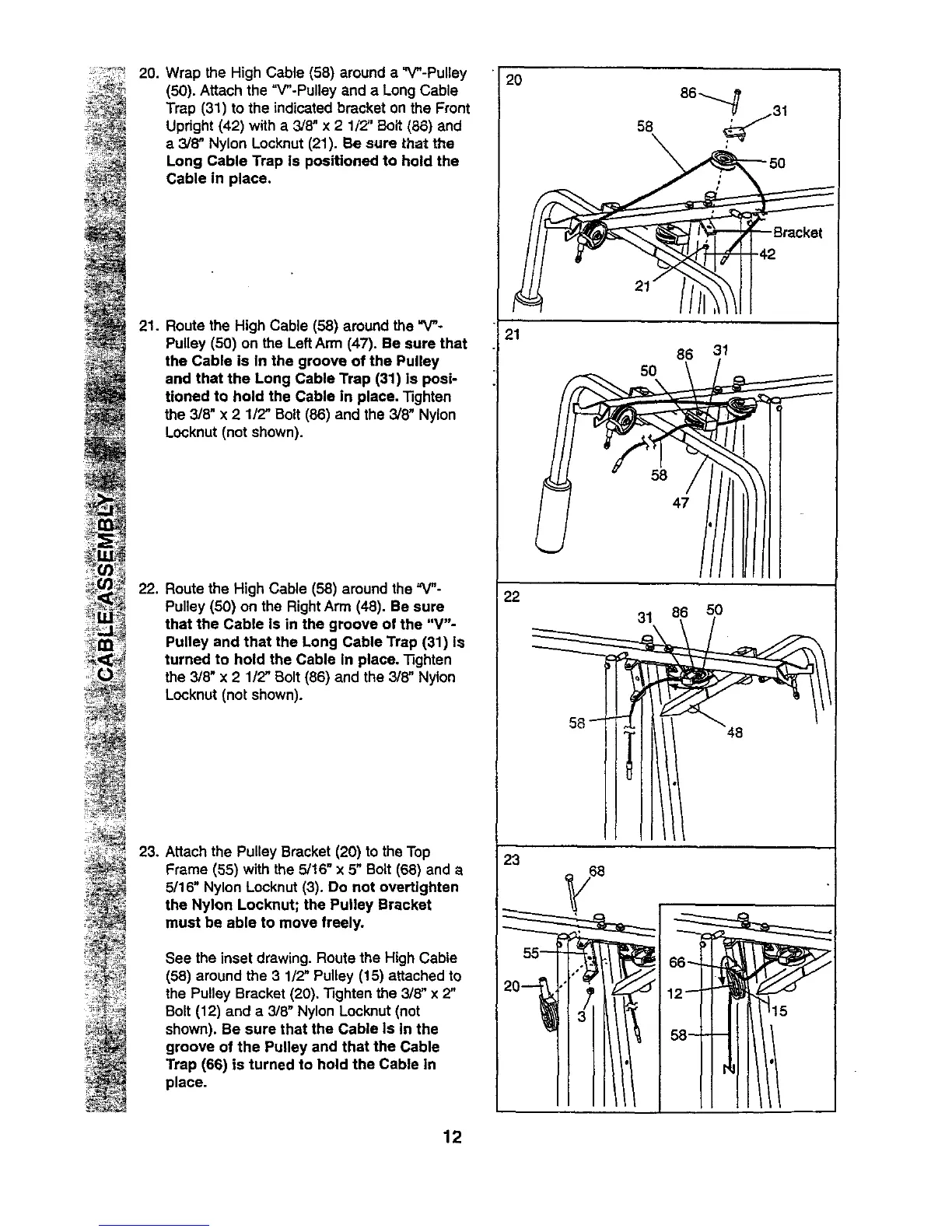
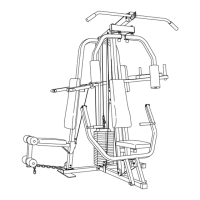
20. Wrap the High Cable (58) around a "V"-Pulley
(50). Attach the "V"-Pulley and a Long Cable
Trap (31) to the indicated bracket on the Front
Upright (42) with a 3/8" x 2 1/2" Bolt (86) and
e 3/8" Nylon Locknut (21). Be sure that the
Long Cable Trap Is positioned to hold the
Cable in place.
21. Route the High Cable (58) around the "V"-
Pulley (50) on the LeftArm (47). Be sure that
the Cable is In the groove of the Pulley
and that the Long Cable Trap (31) Is posE-
tioned to hold the Cable in place. 13ghten
the 3/8" x 2 1/2" Bolt (86) and the 3/8" Nylon
Locknut (not shown).
22. Route the High Cable (58) around the "V"-
Pulley (50) on the Right Arm (48). Be sure
that the Cable Is in the groove of the "V"-
Pulley and that the Long Cable Trap (31) Is
turned to hold the Cable in place. Tighten
the 3/8" x 2 112" Bolt (86) and the 3/8" Nylon
Locknut (not shown).
23.
Attach the Pulley Bracket (20) to the Top
Frame (55) with the 5/16" x 5" Bolt (68) and a
5/16" Nylon Locknut (3). Do not overtighten
the Nylon Locknut; the Pulley Bracket
must be able to move freely.
See the inset drawing. Route the High Cable
(58) around the 3 1/2" Pulley (15) attached to
the Pulley Bracket (20). Tighten the 3/8" x 2"
Bolt (12) and a 3/8" Nylon Locknut (not
shown). Be sure that the Cable Is In the
groove of the Pulley and that the Cable
Trap (66) is turned to hold the Cable in
place.
12
2O
86_ 31
21
86 31
5O
58
47
22
31 86 50
23


 To Next Page