20
January, 2017
CONTROL PANEL SETUP
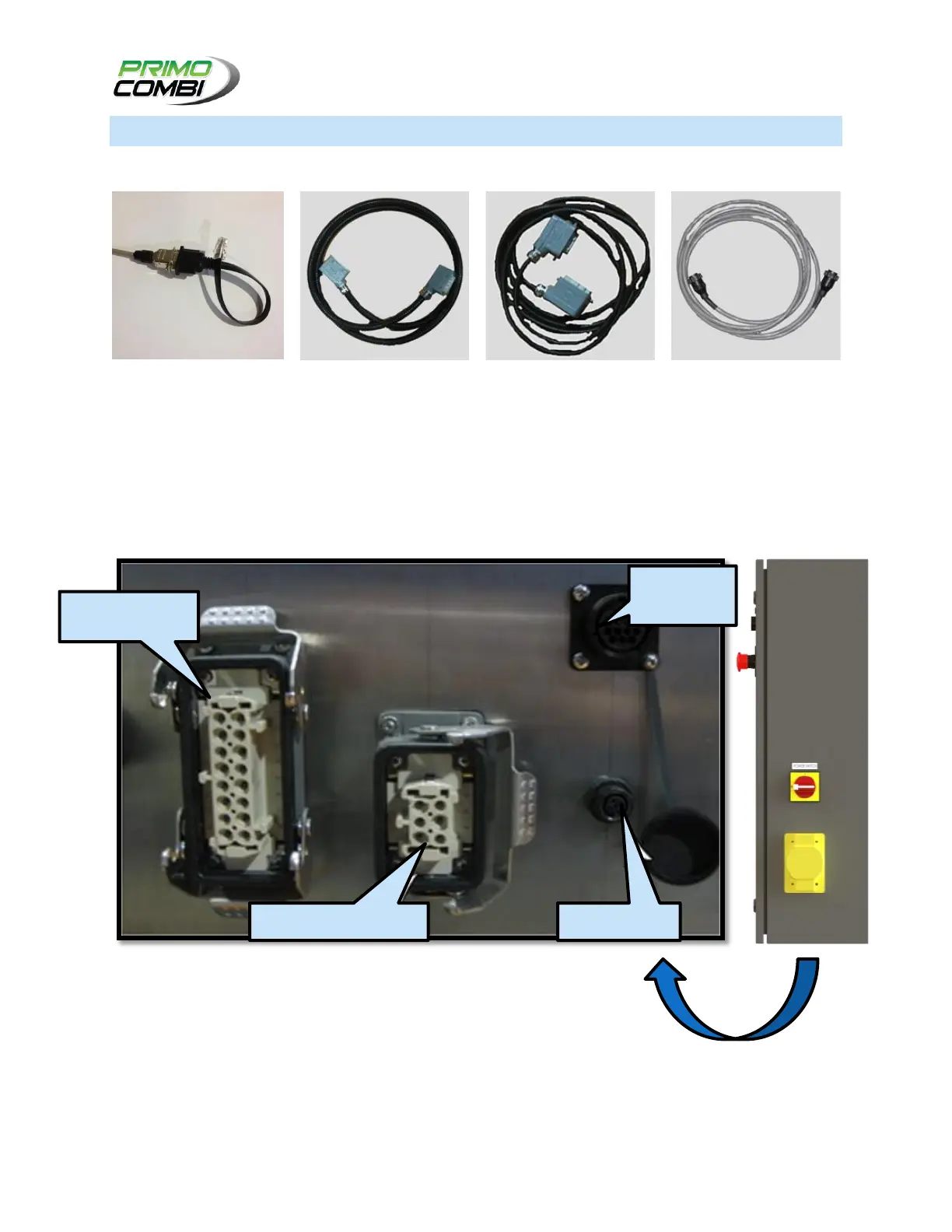
Before setting up the control panel, please ensure that you have the following parts:
Power Cable: Plug in Panel-to-Scale Power cable to the Control panel and the Scale.
Data Cable: Plug in the Panel-to-Scale Data cable to the Control panel and the Scale.
PC Interface: Plug in the PC interface cable to the Control panel and the PC.
External Interface: If applicable, plug the External Interface cable to any auxiliary equipment.
UNDERSIDE OF CONTROL PANEL



 To Next Page