97
January, 2017
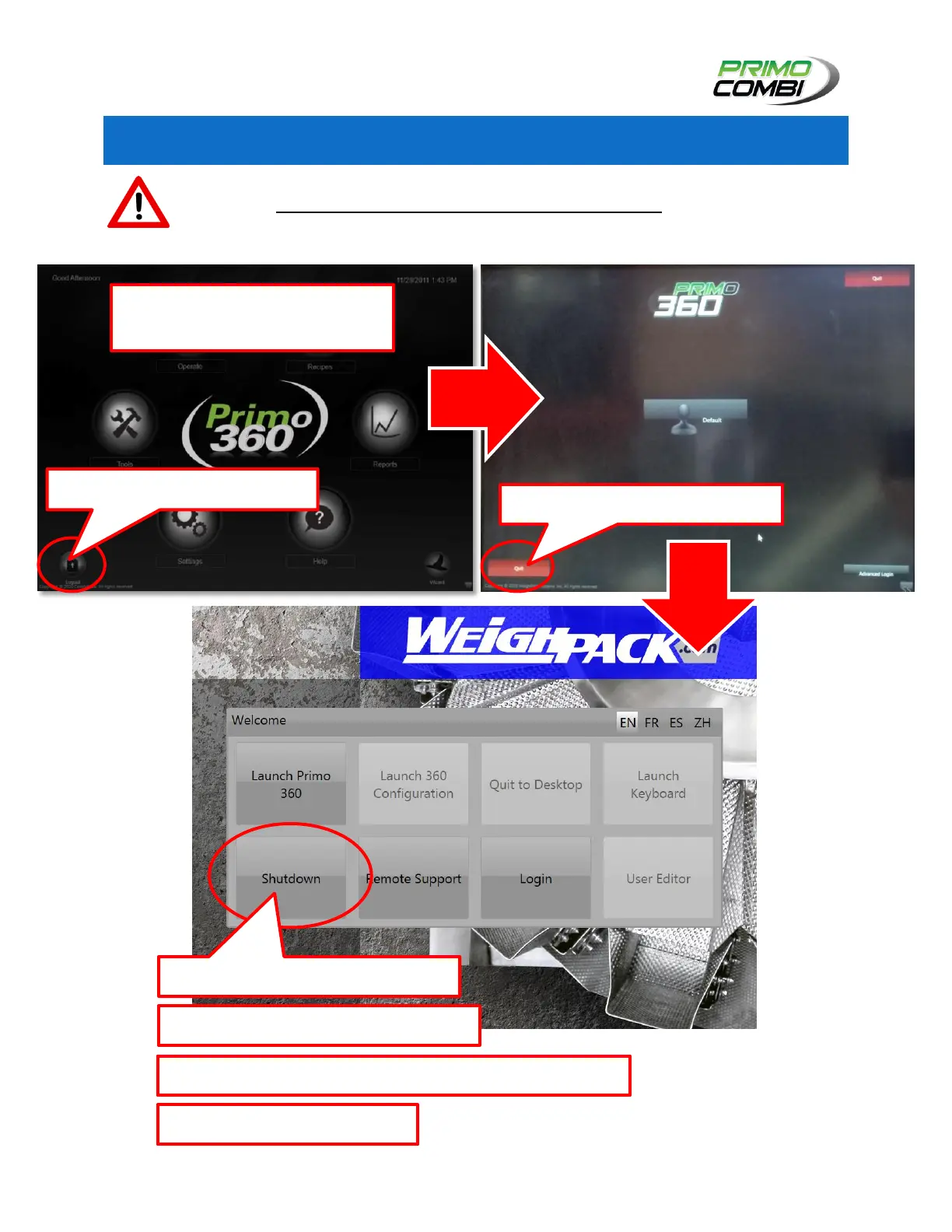
PC PANEL SHUT DOWN PROCEDURE
The PrimoCombi PC Panel must be shut down properly to avoid
damage. Do not pull the plug until it is shut down. To shut down the
PrimoCombi’s PC Panel please follow these steps:
1.) Navigate to the HOME
Screen of the H.M.I.
3.) Press the “Quit” button.
5.) Wait until the screen is black.
4.) Press the Shut Down button.
2.) Press the Logout button.
7.) Shutdown is complete.
6.) Shutdown the Main Switch on the Control Box.



 To Next Page