63
January, 2017
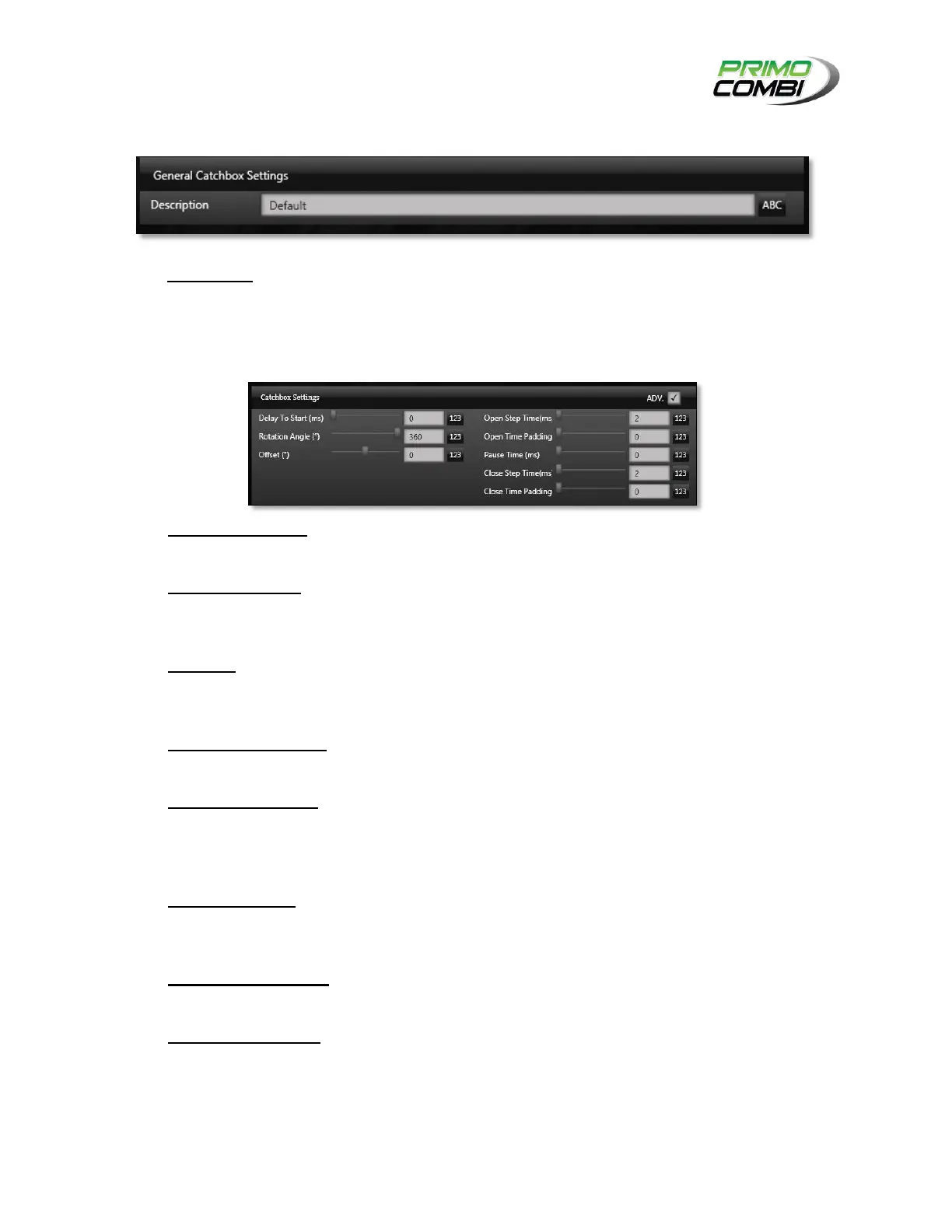
GENERAL CATCH BOX SETTINGS
Description – This is the description of the configuration. It is recommended that you give the
configuration a description allowing easy recognition of the settings.
CATCH BOX SETTINGS
Delay to Start (ms) – This indicates how many milliseconds to wait until the catch box begins to
activate.
Rotation Angle (°) – This is the total number of degrees (default = 360°) that the stepper motor
will rotate and should only be used if high speed is required. Contact your support provider for the
proper settings. (This is an Advanced Setting)
Offset (°) – The offset will modify the home position of the stepper motor. This should only be
used in specialty applications. Contact your support provider for the proper settings. (This is an
Advanced Setting)
Open Step Time (ms) – This is the number of milliseconds the stepper motor will take to rotate
one step during the opening process.
Open Time Padding – This is a percentage of the Open Step Time that will be applied to the
stepper to slow the motor down during critical parts of the rotation. This will only become critical in
high-speed applications. Contact a service technician for optimal settings. (This is an Advanced
Setting)
Pause Time (ms) – This is the duration, in milliseconds, that the bucket will stay open before
closing and is product-dependent. If you are unsure of what to set here please contact a service
technician.
Close Step Time (ms) – This is the number of milliseconds the stepper motor will take to rotate
one step during the closing process.
Close Time Padding– This is a percentage of the Close Step Time that will be applied to the
stepper to slow the motor down during critical parts of the rotation. This will only become critical in
high-speed applications. Contact a service technician for optimal settings. (This is an Advanced
Setting).



 To Next Page