76 | EN Ⓒ weinor GmbH & Co. KG
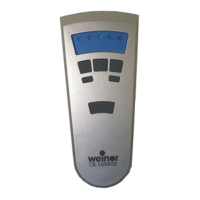
4. Immediately (no more than 1 second) after the curtain
starts moving downwards, press the DOWN button. The
statusdisplaylightsbriey.Theblindstops.Thetransmit-
ter channel is programmed.
Important:
Programming will have to be repeated if the blind does not
stop.
A programming process in the handheld transmitter can be
cancelled by holding down the STOP button for 6 seconds.
4.6.1 Programming additional transmitters
Important:
If multiple receivers are connected to the same supply, all
will be in programming mode at the same time for approxi-
mately 5 minutes after connection to the mains.
If the programming P button on the transmitter is engaged,
all receivers will start simultaneously with the programming
mode(up/down).Anosetiscreatedbetweenthereceiversby
randomlydierentpausesbetweentheascents/descents.The
longerprogrammingisdelayed,thegreatertheosetwillbe.
The brief ascents/descents can be stopped by engaging
theSTOPbuttonbrieyonatransmitterthathasalready
been programmed. The programming mode in the receiver
is interrupted.
The transmitter can now be assigned without having to
disconnect individual receivers. If the blind moves in the wrong
direction, delete the transmitter and program it again (see
Section 4.5.12 “Deleting positions / Deleting transmitters”).
To program additional transmitters to one receiver:
BiEasy-15Mgo_weinor_BA_18112801_DE+EN_0218.indb 76 26.02.2018 13:50:48


 To Next Page
 Loading...