Problem Possible Cause Actions
The lock doesn’t respond and the
keypad doesn’t respond when touched
(no beeping is heard).
1. Cables are NOT properly
connected.
2. Batteries are drained.
1. Make sure cables are connected
properly.
2. Install a fresh set of batteries.
The lock beeps 4 Long Beeps when
the keypad is touched but it cannot be
locked/unlocked
Door handing has not yet been set.
Follow the instructions for left or right
door handing.
Door handing is set but the lock beeps
3 Long Beeps.
User code has not yet been set.
Make sure the lock is programmed
with at least one User Code. Follow the
instructions for setting up a User Code.
Door handing and user codes are set
and the motor is activated but the lock
cannot be locked or unlocked (or the
latch runs in the opposite direction).
Incorrect door handing direction Re-do the door handing instructions
When the door is closed and the
lock/unlock button is pressed to
lock/unlock the door, the motor runs,
but the latch doesn’t extend/retract.
1. The hole in the door frame behind
the strike is NOT drilled at least 1
in (25 mm) deep.
2. The strike plate is NOT aligned
with the latch bolt.
1. Make sure the hole in the door
frame behind the strike is drilled
at least 1 in (25mm) deep.
2. Make sure the strike plate is
aligned with the latch bolt. If
needed, reposition the strike.
When the batteries are drained and a
9V battery is connected to the
terminals but the lock doesn’t respond
1. The 9V battery is NOT connected
correctly.
2. The 9V battery is drained.
1. Flip the 9V battery and try again.
2. Try a new 9V battery.
Door unlocks with lock button and
unlocks with user code.
There was an error during door
handing.
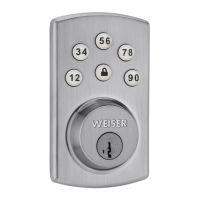
Step 5 needs to be repeated. Choose
12if the latch is left of the keypad.
Choose 56 if the latch is right of the
keypad.
Important Safeguards
1. Read all instructions in their entirety.
2. Familiarize yourself with all warning and caution statements.
3. Remind all family members of safety precautions.
4. Restrict access to your lock’s interior assembly and routinely check your settings to ensure they have not been
altered without your knowledge.
5. Protect your User Codes.
6. Dispose of used batteries according to local laws and regulations
CAUTION: Prevent unauthorized entry. Since anyone with access to the interior assembly can reset the lock
and change the User Codes, you must restrict access to the interior assembly and routinely check the User Codes to
ensure they have not been altered without your knowledge.
WARNING: This Manufacturer advises that no lock can provide complete security by itself. This lock may be
defeated by forcible or technical means, or evaded by entry elsewhere on the property. No lock can substitute for
caution, awareness of your environment, and common sense. Builder’s hardware is available in multiple performance
grades to suit the application. In order to enhance security and reduce risk, you should consult a qualified locksmith
or other security professional.
Read More About This Manual & Download PDF:
Powerbolt 1 Touchpad Keyless Entry Deadbolt SED9400 User Manual – Optimized PDF
Powerbolt 1 Touchpad Keyless Entry Deadbolt SED9400 User Manual – Original PDF


 To Next Page