Installation- and operating manual Handling device HP140T R09-2011
32/52
Installation
5.4 Assembly suggestions
5
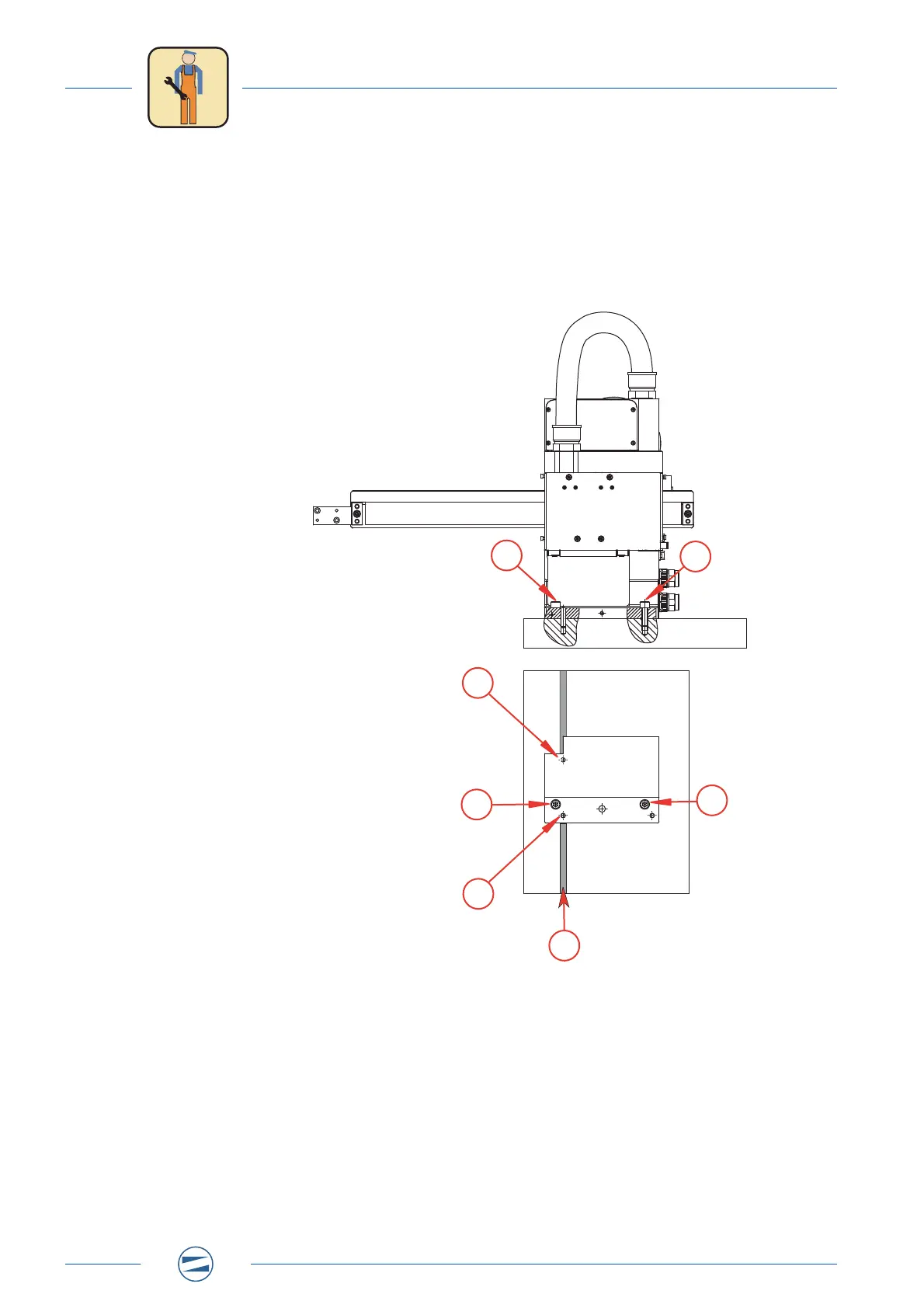
5.4.3 Option 3 - Movable via groove
1. Bring the Pick & Place to its assembly position.
2. Screw in the two fastening bolts [1], but do not tighten them yet.
3. Drive a dowel pin into each of the two front pin holes [2].
4. Align the Pick & Place in the groove [3].
5. Tighten fastening bolts [1].
Fig. 16: Assembly at a groove
1
1
1
1
2
2
3


 To Next Page
 Loading...