www.wellbox.com
10
®
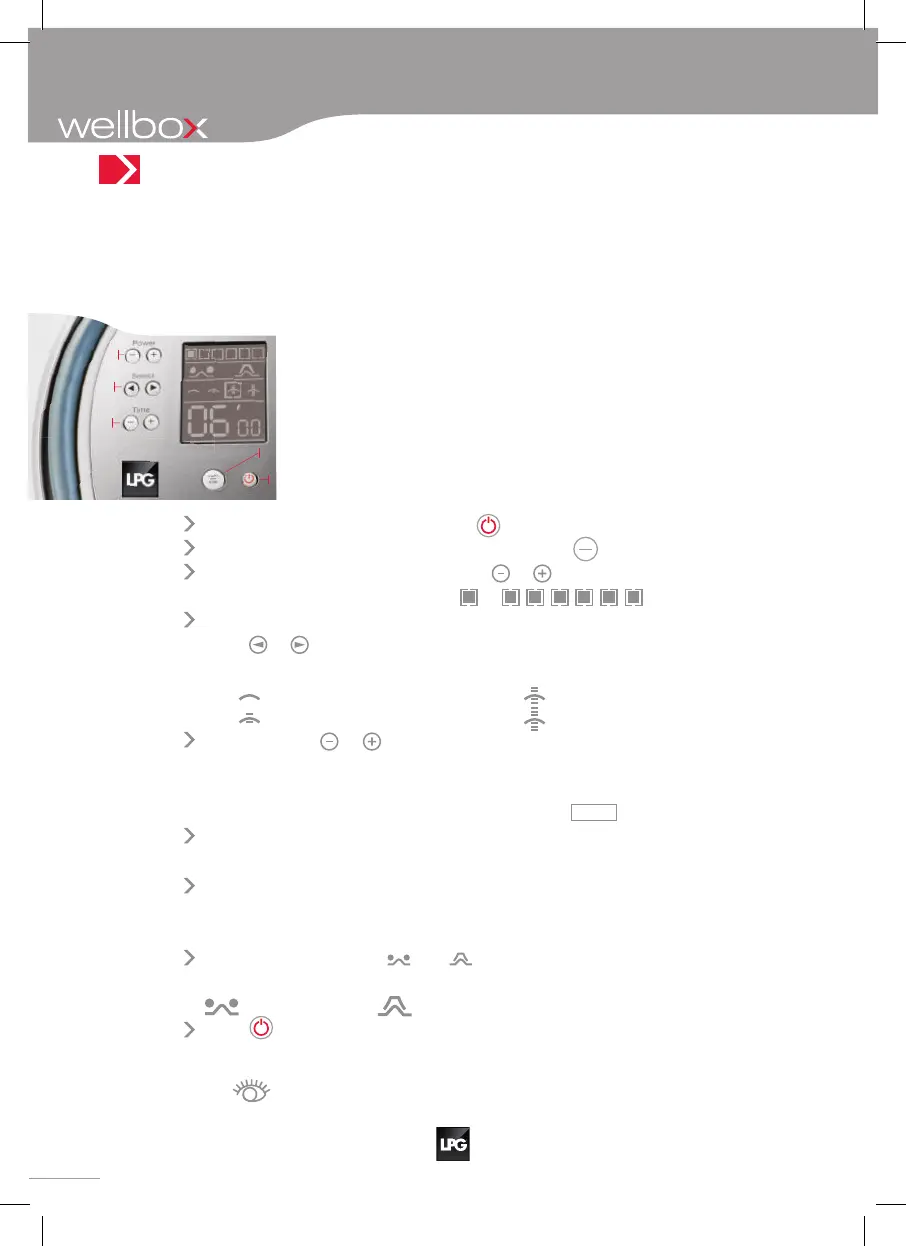
The control panel makes the Wellbox simple and easy to use. It is comprised of
a series of 8 buttons and an LCD screen showing the different parameters to
be adjusted before beginning a treatment session. Using the control buttons
you may:
Control
panel description
Each pressure of a button is confirmed with a beep.
1 . Turn the machine On or Off.
3 . Select the power level of
the treatment.
5 . Set the treatment duration
in minutes.
2 . Start, Hold or Stop the treatment.
4 . Select the treatment program
(continuous or rhythmic mode).
2
5
4
3
1
To turn your machine on or off, press
.
To start, stop, resume or cancel a treatment, press
start
stop
.
Power : to select the power level, press
or
according to the level chosen from
to
.
Select : to select the treatment program (continuous or rhythmic mode),
press
or
.
Four programs are offered:
No rhythm
Medium rhythm
Low rhythm
High rhythm
Time : press on or
to select the desired duration (refer to the instruc-
tions to determine the adapted duration for the care that you are seeking.
In any event, do not exceed the maximum duration of 30 min).
During any new use, the device displays 6 minutes
06’00
by default.
On subsequent restarts, the values of the “Power” and “Select” parameters
are re-established.
When changing from the rhythmic program to the continuous program,
the power reduces automatically.
It remains unchanged when changing from continuous to rhythmic program.
Moreover, the symbols
and displayed on the screen, indicate the
treatment head(s) compatible with your programmed treatment :
Roll head
Lift head
Press to turn the Wellbox off.
If not used for more than 5 minutes, the system automatically goes to “off”.
ensemble chapitres.indb 10 11/05/11 12:09


 To Next Page
 Loading...