41
If other error messages (E 1, E 2, etc) appear, see Solving Problems on page 45.
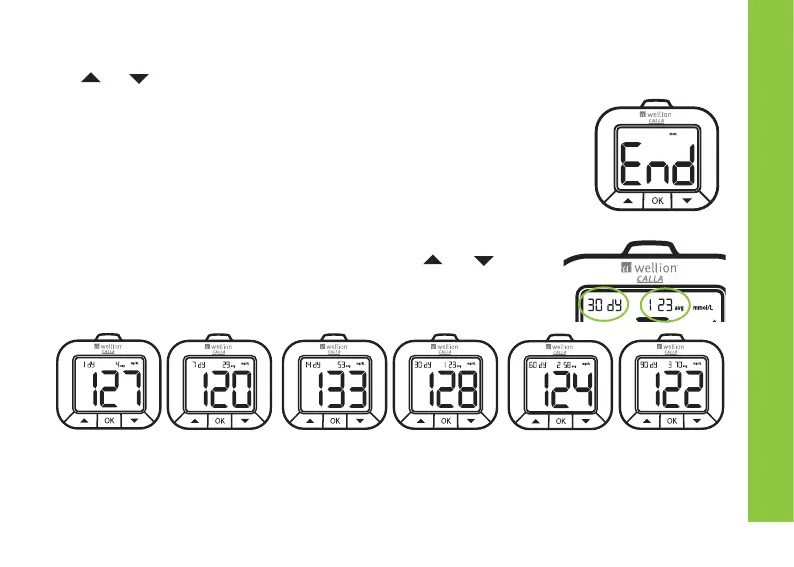
Use or buttons to view older stored results.
End will appear if there are no recorded test results in the me-
mory.
Step 3:
Press the OK button to enter viewing daily averages. The
rst average will be the 1 day average. Press or but-
tons to scroll through 7, 14, 30, 60 and 90 days averages.
Step 4:
Press and hold the OK button to turn the meter o when nished or insert a test
strip to begin testing.
VIEWING YOUR METERS MEMORY


 To Next Page