9
Outputs
Analog Output
The analog output is connected to analog earth. The analog output can be configured as a current output or a
voltage output. If you have the choice we recommend the use of the voltage output (reduced current consump-
tion).
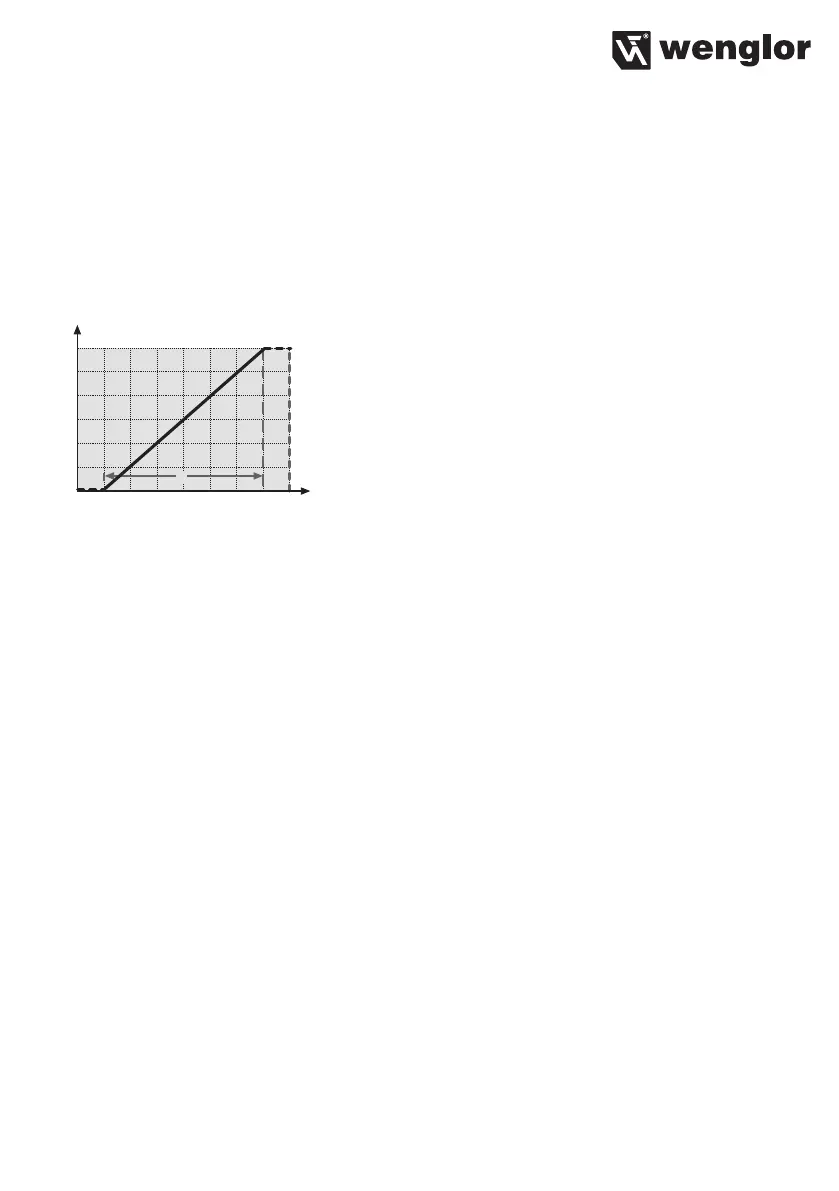
The analog output reads out a standard signal of 0...10 V when configured as a current output (see settings).
The analog output reads out a standard signal of 4...20 mA when configured as a voltage output (see settings).
Error Outputs
The PNP error output is switched to positive if no object is detected within the selected working range, or if an
error has occurred (e.g. an interrupted conductor at the current output). The red F LED lights up to indicate that
the error output has been activated.
8. Adjustment
8.1. Manual Adjustments
Reset:
• Set the rotary selector switch Ý to RESET
• Briefly press the minus-key or the plus-key
è red F-LED lights up
è Delivery status restored (RES. MODE, rising characteristic function, full measuring range, filter func-
tion off.) The adjusted transmission speed (Baud rate) and the setting Current or Voltage Output is not
changed by the RESET.
• Set the rotary selector switch Ý to RUN












 To Next Page